100% HAND-DRAWN PEN TOOL PATHS & PURE #FFFFFF GROUNDS

Jewelry Background Removal & Clipping Path Services

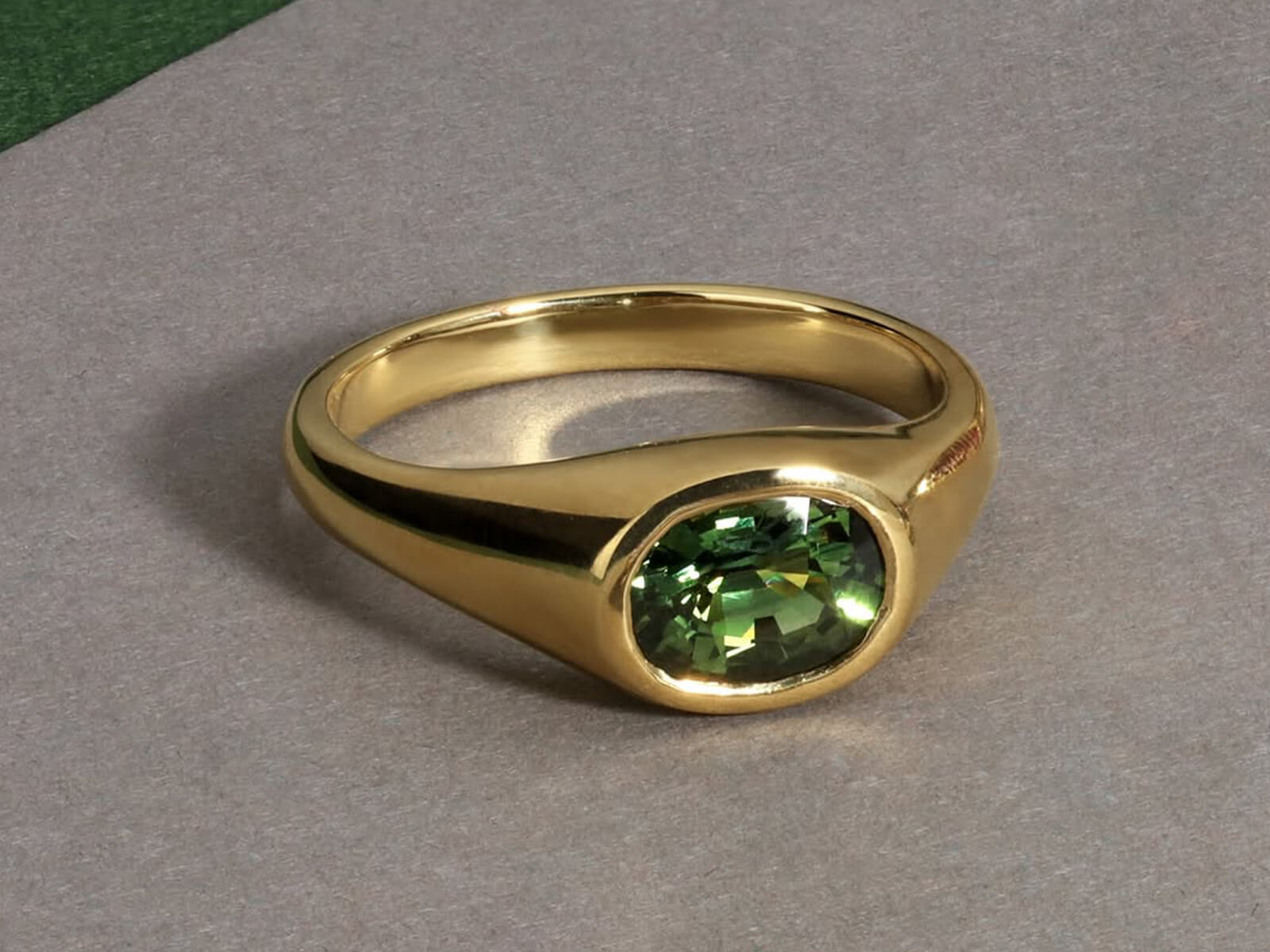
Isolate intricate necklace chains, micro-pavé settings, and filigree jewelry onto pure solid white (#FFFFFF) or transparent backgrounds with sub-pixel accuracy. Our Photoshop specialists hand-draw vector Pen Tool paths—never automated magic wands—delivering centered, balanced framing with subtle floor reflections and low-opacity grounding shadows.
Sub-Pixel Bezier Pen Paths Pure #FFFFFF + Soft Reflection Multi-Hole Chain Cutouts
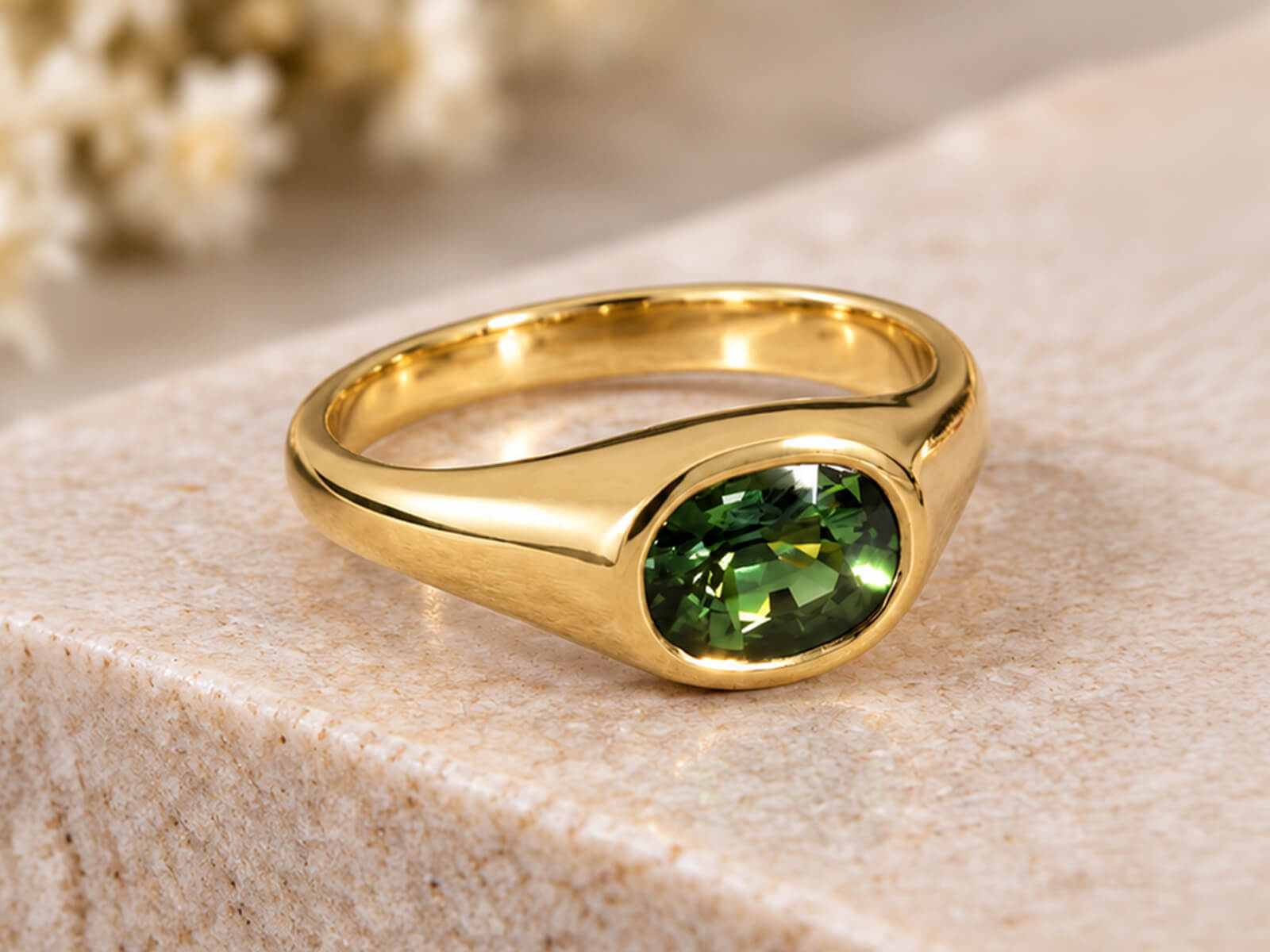
Jewelry photo after retouching in Photoshop
Raw jewelry photo before editing
BEFORE AFTER
‹ ||| ›
↔ Drag to compare PHOTOSHOP FINISHED
100% Pen Tool Hand-Drawn Vector Clipping Paths
Pure #FFFFFF Centered + Low-Opacity Shadow & Reflection
300% Zoom Clean Every Inner Chain Link & Lattice Cut Out
12–24h Delivery High-Volume Catalog Turnaround
✦ JEWELRY CUTOUT & BACKGROUND CHALLENGES

Why Automated Background Removers Ruin Fine Jewelry

From microscopic chain links and semi-transparent gemstones to studio wax supports, jewelry cutouts require surgical precision that one-click AI background tools destroy.

✕ The Problem

Grey Studio Halos Inside Tiny Chain Links

✓ Our Solution

Automated tools leave muddy grey background patches trapped inside necklace links and filigree holes. We hand-draw individual closed vector paths inside every single link at 300% zoom.

See Multi-Hole Chain Cutouts ↓
✕ The Problem

Visible Wax, Glue Blobs & Acrylic Risers

✓ Our Solution

Holding rings and earrings upright requires positioning wax, hot glue, fishing line, and mannequin busts. We erase all studio props and seamlessly reconstruct the hidden metal underneath.

See Prop & Mannequin Removal ↓
✕ The Problem

Jagged Prong Tips & Chipped Diamond Edges

✓ Our Solution

Magic-wand and AI background erasers bite into bright white diamond facets and round off delicate prong claws. Our Bezier Pen Tool paths keep every facet edge and claw tip razor-sharp.

See Sub-Pixel Edge Precision ↓
✕ The Problem

Harsh Black Drop Shadows or Floating Cutouts

✓ Our Solution

Raw cutouts on white look like floating stickers, while heavy black shadows look dirty. We ground every piece on pure #FFFFFF white with a low-opacity shadow and soft product reflection.

See Pure #FFFFFF + Reflection Setup ↓
✕ The Problem

Off-White Vignettes Failing Marketplace Audits

✓ Our Solution

In-camera lightbox backgrounds are rarely pure RGB(255,255,255) white—leading to Amazon and Google Merchant rejections. We guarantee 100% pure solid #FFFFFF backgrounds across every pixel.

See Marketplace Compliance ↓
✕ The Problem

Inconsistent Cropping, Centering & Box Shadows

✓ Our Solution

Mismatched margins make your collection page look chaotic. We center and scale every pieceslightly smaller for breathing room—and apply box-only grounding shadows for packaging shots.

Test Us With a Complex Chain →
✦ SURGICAL PEN TOOL PRECISION

Our Jewelry Background Removal & Cutout Services

From simple solitaire rings to 200-hole rope chains and packaging box composites—drag any slider to see how we isolate jewelry onto pure solid white (#FFFFFF) with soft reflections.

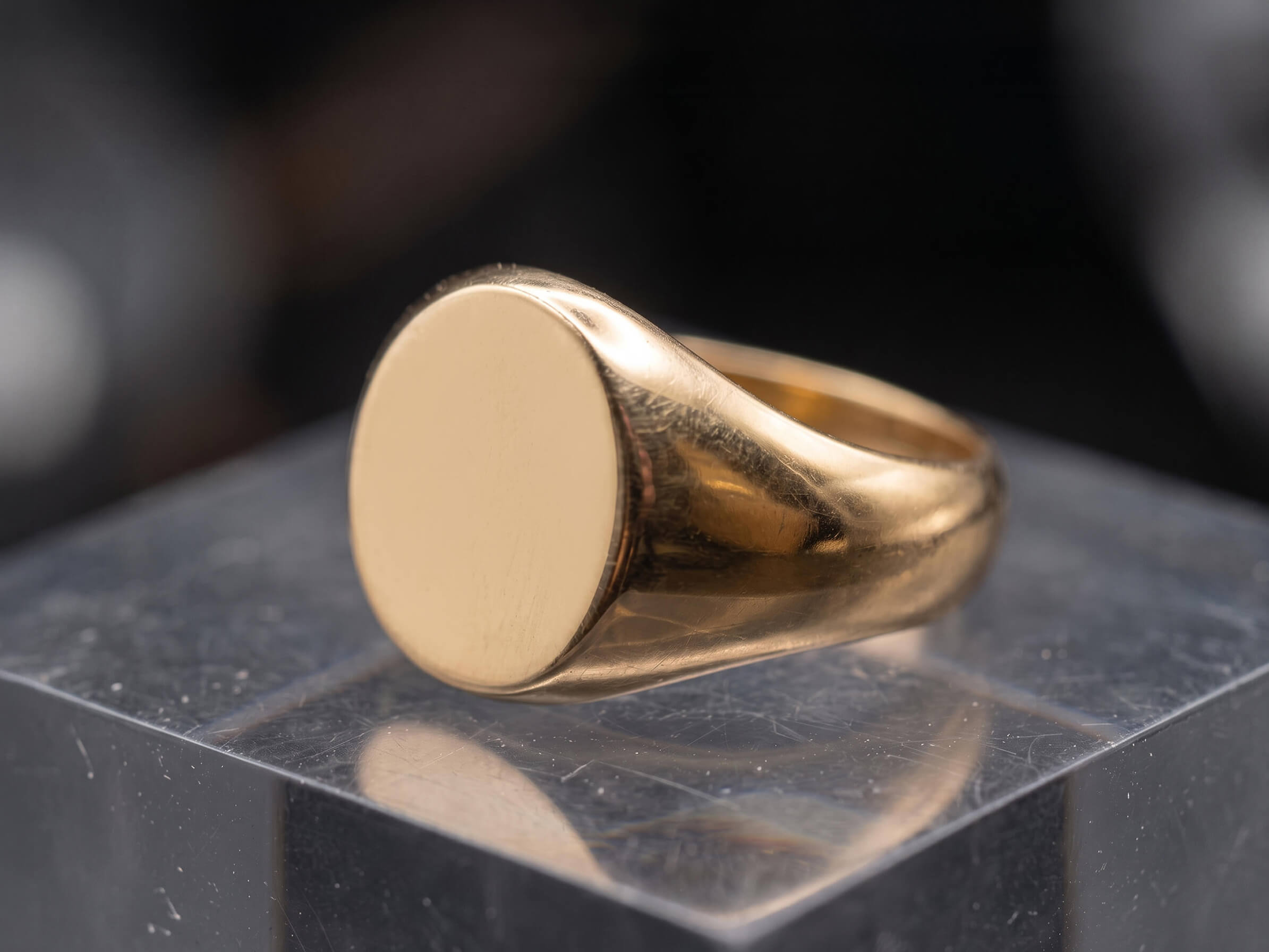
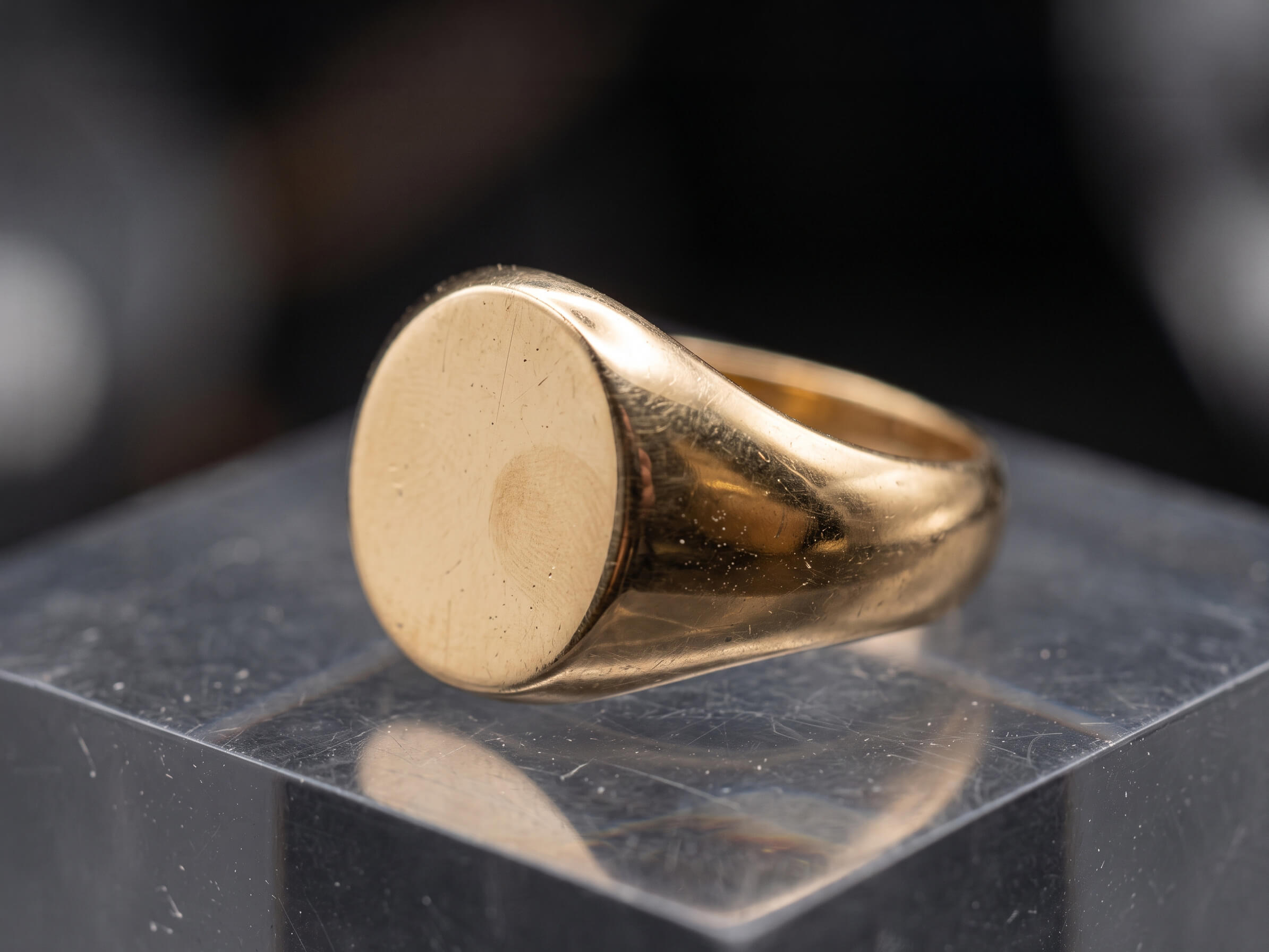
18k gold ring after high-end metal polishing and scratch removal
Raw gold ring before retouching showing studio dust and surface scratches
Before After
↔
↔ Drag slider to inspect detail ✓ 100% Hand-Polished in Photoshop
Fixes: Grey Halos Inside Chains, Filigree & Pavé

Hand-Drawn Pen Tool Clipping Paths & Multi-Hole Cutouts

Intricate curb chains, rope necklaces, lattice rings, and filigree earrings contain dozens of tiny internal openings. Our editors manually trace every outer contour and inner hole using the Photoshop Pen Tool at 300% zoom.

  • ✓
    100% hand-drawn Bezier vector paths—zero magic wand or automated AI edge erosion
  • ✓
    Complete removal of trapped studio background inside every individual necklace chain link
  • ✓
    Embedded, named vector clipping paths saved inside your JPEG, TIFF, and PSD files
Test Complex Chain Cutout Free →
Diamond ring after gemstone brilliance and facet enhancement
Raw diamond ring before facet cleanup and color correction
Before After
↔
↔ Drag slider to inspect detail ✓ Natural Facet Integrity Preserved
Fixes: Visible Wax, Glue, Fishing Line & Display Busts

Studio Prop, Wax, Glue & Mannequin Removal

Removing the background is only half the battle when wax blobs, acrylic rods, or necklace busts cover part of your jewelry. We erase all studio supports and reconstruct the missing metal shanks, clasps, and links seamlessly.

  • ✓
    Erasing museum wax, hot glue, tweezers, and nylon suspension threads
  • ✓
    Removing velvet necklace busts and reconstructing the rear chain and clasp naturally
  • ✓
    Eliminating colored background reflections bleeding onto the bottom edges of rings
Test Prop & Wax Removal Free →
Jewelry piece isolated on pure white #FFFFFF background with soft reflection
Raw jewelry piece on gray studio background with wax support
Before After
↔
↔ Drag slider to inspect detail ✓ Pure White (#FFFFFF) + Soft Reflection
Fixes: Off-White Backgrounds & Heavy Dark Shadows

Pure Solid White (#FFFFFF) Background, Reflection & Soft Shadow

We place every isolated piece onto a strict RGB(255,255,255) pure solid white background—centered and scaled slightly smaller for clean catalog breathing room—with a subtle product reflection and low-opacity grounding shadow.

  • ✓
    100% pure solid white (#FFFFFF) background compliant with Shopify, Amazon, and Google Shopping
  • ✓
    Subtle floor reflection paired with a reduced-opacity black drop shadow for natural depth
  • ✓
    Box-only grounding shadow option when compositing jewelry with its packaging box
Test Pure White + Reflection Free →
Jewelry recolored accurately from white gold to 18k yellow gold
Original single metal tone jewelry photograph before color variant creation
Before After
↔
↔ Drag slider to inspect detail ✓ Yellow · White · Rose Gold Variants
Fixes: Opaque Gemstones & Locked Background Layers

Transparent PNGs, Alpha Masks & Semi-Transparent Gems

When isolating emeralds, aquamarines, glass beads, or pearls for custom web backgrounds and ring builders, simple hard paths aren't enough. We combine crisp vector paths with optical alpha-channel masking so light passes through translucent stones naturally.

  • ✓
    Clean, halo-free 24-bit transparent PNGs ready for dark-mode or colored website themes
  • ✓
    Preserving natural translucency in cabochons, opals, tourmalines, and faceted colored gems
  • ✓
    Separate layer masks for metal, stones, shadows, and reflections inside master PSDs
Test Transparent PNG Cutout Free →
Focus stacked jewelry image with sharp back shank and symmetrical prongs
Unstacked macro jewelry shot with shallow depth of field and uneven prongs
Before After
↔
↔ Drag slider to inspect detail ✓ Edge-to-Edge Tack Sharpness
Fixes: Uneven Collection Grids & Tilted Angles

Catalog Centering, Scaling & Symmetry Alignment

A great cutout still fails if your rings and necklaces jump around in size across your collection page. We straighten tilted shanks, match earring pairs, and lock every piece dead-center with uniform padding margins.

  • ✓
    Centered, slightly scaled-back product sizing for a clean, luxury collection grid
  • ✓
    Rotational straightening for tilted rings, pendants, and asymmetrical hanging chains
  • ✓
    Custom aspect ratios (1:1 square 2048×2048 px, 4:5 portrait, or bespoke dimensions)
Test Catalog Alignment Free →
✦ VECTOR PRECISION VS ONE-CLICK ERASERS

Why Fine Jewelers Choose Manual Pen Tool Paths Over AI Background Removers

Automated background removal apps cannot distinguish between a bright white diamond facet, a silver prong, and a light grey studio tabletop—leaving jagged edges and uncut chain links. We draw every path by hand at 300% zoom.

⚠ Risk to Your Brand Automated Filters

AI Background Removers & Magic Wands

  • ✕
    Uncut Inner Chain Links: Leaves solid grey blocks of studio background trapped inside fine necklace links and latticework.
  • ✕
    Eroded Diamond & Prong Edges: Bites into bright white diamond girdles and white gold claws that blend with the background.
  • ✕
    Leftover Wax & Glue Props: Keeps studio positioning wax, acrylic stands, and fishing lines attached to the product.
  • ✕
    Harsh or Missing Shadows: Either leaves the piece floating awkwardly in mid-air or adds a heavy, fake black drop shadow.
Outcome: Inaccurate product representation High Return Risk
✦ Our Standard 🔍 300% Macro Zoom

Our Manual Photoshop Clipping Path Specialists

  • ✓
    100% Multi-Hole Link Cutouts: Every microscopic chain link, clasp opening, and gallery hole is cleanly isolated by hand.
  • ✓
    Razor-Sharp Bezier Contours: Sub-pixel vector paths preserve the exact geometric silhouette of every facet and prong tip.
  • ✓
    Seamless Prop Reconstruction: We erase wax, glue, and stands completely while rebuilding the metal surface underneath.
  • ✓
    Pure #FFFFFF + Soft Reflection: Centered, slightly scaled-back framing with a subtle floor reflection and low-opacity shadow.
Outcome: True-to-life luxury catalog 100% Buyer Trust ✓
✦ SIGNATURE CUTOUT & CATALOG SPECS

Built for High-Converting eCommerce Grids & Marketplace Compliance

Every background removal order is delivered to strict luxury catalog specifications—pure solid white (#FFFFFF), centered framing, soft reflections, and low-opacity grounding shadows.

#FF
RGB 255,255,255

Pure Solid White BG

Verified RGB(255,255,255) pure solid white or transparent PNG backgrounds compliant with Amazon, Shopify, and Google Merchant Center.

Zero grey halo or edge fringing
◇
Low-Opacity

Reflection & Soft Shadow

Subtle product floor reflections paired with reduced-opacity drop shadows—or box-only grounding shadows for packaging shots.

Separate adjustable shadow layer
✛
Balanced Scale

Centered & Scaled Framing

We size each composite slightly smaller and lock it dead-center in the frame so your rings, earrings, and necklaces align seamlessly.

Crisp 2048×2048 px zoom clarity
PEN
Saved Path

Embedded Vector Paths

Receive web-ready PNG/JPGs alongside layered PSD/TIFFs with embedded, named Bezier clipping paths for instant future background swaps.

100% hand-drawn in Photoshop
✔ Pre-Verified Export Specs For:
✓ Shopify & Shopify Plus ✓ Amazon Luxury Stores ✓ Etsy & eBay ✓ Google Merchant Center ✓ 300 DPI Print Lookbooks
✦ TRANSPARENT CUTOUT & CLIPPING PATH RATES

Jewelry Background Removal Pricing

Straightforward per-image pricing based on path and hole complexity. Every tier includes pure solid white (#FFFFFF) or transparent backgrounds, soft reflections, low-opacity shadows, and unlimited revisions.

Tier 01 · Simple Cutout Simple ring and stud background removal pricing example

Simple Rings, Studs & Gems

Best for: Solitaire rings, wedding bands, stud earrings, loose gemstones, bangles & packaging boxes (1–3 inner holes).

From $1.50 $1.50 / image
⚡ 12–24 Hour Delivery · 2048×2048 px Ready
  • ✓ 100% hand-drawn Pen Tool path (1–3 closed paths)
  • ✓ Pure solid white (#FFFFFF) or transparent PNG background
  • ✓ Centered, slightly scaled-back catalog framing
  • ✓ Subtle product floor reflection + low-opacity drop shadow
  • ✓ Embedded vector clipping path saved in file
Test With 1 Free Sample No credit card required
Tier 03 · Complex Chains & Filigree Intricate link chain and filigree multi-hole clipping path example

Intricate Link Chains & Filigree

Best for: Curb/rope/Cuban link chains, ornate filigree, micro-pavé sets, bridal parures & bust removal (15–200+ holes).

From $5.50 $5.50 / image
⚡ 24–48 Hour Delivery · Senior Path Specialist
  • ✓ Everything in Medium Cutout tier
  • ✓ Surgical link-by-link inner cutouts (up to 200+ openings)
  • ✓ Necklace mannequin/bust removal & rear clasp completion
  • ✓ Alpha-channel masking for translucent emeralds, opals & pearls
  • ✓ Straightening kinked chains & symmetrical hanging alignment
Send Challenging Shot Free Custom quote within 2 hours

Not sure which complexity tier fits your jewelry collection?

Send us 1–2 raw sample images. We will retouch a sample for free and give you an exact per-image quote for your catalog.

Request Free Sample & Quote →
✦ HOW IT WORKS

How Our Jewelry Background Removal Workflow Works

Four simple steps from raw studio captures on stands or wax to crisp, pure-white (#FFFFFF) catalog files.

01
Step 01

Upload Raw Captures

Send your RAW, TIFF, PSD, or JPEG photos along with your preferred crop size and shadow/reflection style.

⚡ Takes under 60 seconds
02
Step 02

300% Zoom Pen Pathing

Our clipping path specialists hand-draw vector Bezier paths around every prong, facet, filigree hole, and chain link.

✦ 100% Manual Pen Tool
03
Step 03

Prop Cleanup & Grounding

We erase wax and stands, center and scale the piece on pure #FFFFFF white, and add a soft reflection and low-opacity shadow.

✓ 2-Stage Edge & Margin QA
04
Step 04

24h Catalog Delivery

Download pure-white JPEGs, transparent PNGs, and path-embedded PSDs within 12–24 hours—backed by unlimited free revisions.

∞ Unlimited Free Revisions
✦ Client Feedback

Trusted by Fine Jewelry Brands & Commercial Photographers

A few words from studio directors and jewelry brand founders about our detail preservation, catalog consistency, and manual Photoshop finish.

★★★★★ 4.9 / 5 Average Client Rating 100% Manual Photoshop Guaranteed
FAQ

Frequently Asked Questions About Jewelry Background Removal

Everything you need to know about our hand-drawn Pen Tool clipping paths, multi-hole chain cutouts, pure #FFFFFF backgrounds, and shadow standards.

Do you use automated AI tools or the manual Photoshop Pen Tool for background removal?

We use 100% hand-drawn Adobe Photoshop Pen Tool (Bezier vector) paths for every single piece. Automated AI background removers and magic wands leave jagged edges on white gold prongs and fail to cut out tiny chain links. Manual vector paths guarantee razor-sharp edges at 400% zoom.

Yes! Nothing looks worse than a necklace on a white background that still has grey studio background trapped inside the chain links. Our specialists zoom in to 300% and draw individual closed paths inside every link, clasp opening, and pavé gallery hole.

By default, we place every cutout onto a pure solid white (#FFFFFF) background, centered and scaled slightly smaller so your collection grid has clean breathing room. We pair a subtle product reflection on the white floor with a low-opacity black drop shadow—or a box-only grounding shadow when photographed with a packaging box.

Absolutely. During the background removal process, we erase all visible museum wax, hot glue, acrylic risers, fishing lines, and velvet busts—and we manually reconstruct the hidden metal shank, prong, or rear necklace chain that was covered by the support.

Do you deliver transparent PNGs and files with saved vector clipping paths?

Yes. We can deliver pure #FFFFFF JPEGs, halo-free 24-bit transparent PNGs, and layered PSD/TIFF files. Every file includes the embedded, named vector clipping path ("Path 1") in the Photoshop Paths panel so your design team can swap backgrounds anytime with one click.

Standard turnaround is 24 to 48 hours depending on complexity and volume. Express 12-hour delivery is also available for urgent campaign launches.

Every order includes revisions to make sure metal tones, shadow intensity, and stone brilliance match your exact brand guidelines.

INSPECT OUR PEN TOOL PRECISION FIRSTHAND

Test Our Jewelry Background Removal—Free

Send us your most intricate link chain, filigree earring, or wax-propped ring. We will hand-cut every opening, place it centered on pure #FFFFFF white with a soft reflection and low-opacity shadow, and deliver within 24 hours—free.

  • ✓
    1 Free Sample Image retouched to your exact catalog specs
  • ✓
    12–24 Hour Turnaround delivered straight to your inbox
  • ✓
    100% Confidential with strict NDA protection

Request Your Free Sample

Tick the issues you want fixed and paste your file link below.

No credit card required · 100% Secure & Confidential

🎉 Thank You! Request Received

We have received your free sample request and selected editing preferences. Our senior retoucher will review your file and deliver the finished sample within 12–24 hours!