LOW-OPACITY GROUNDING SHADOWS & PURE #FFFFFF FLOOR REFLECTIONS

Jewelry Shadow & Reflection Creation Services

Anchor your jewelry on pure solid white (#FFFFFF) backgrounds with realistic depth, weight, and dimension. Our Photoshop specialists craft custom low-opacity contact shadows, perspective-matched floor reflections, and clean box-only grounding shadows—eliminating harsh studio glare and floating cutouts across your entire catalog.
Pure #FFFFFF + Soft Reflection Low-Opacity Drop Shadows Box-Only Packaging Shadows
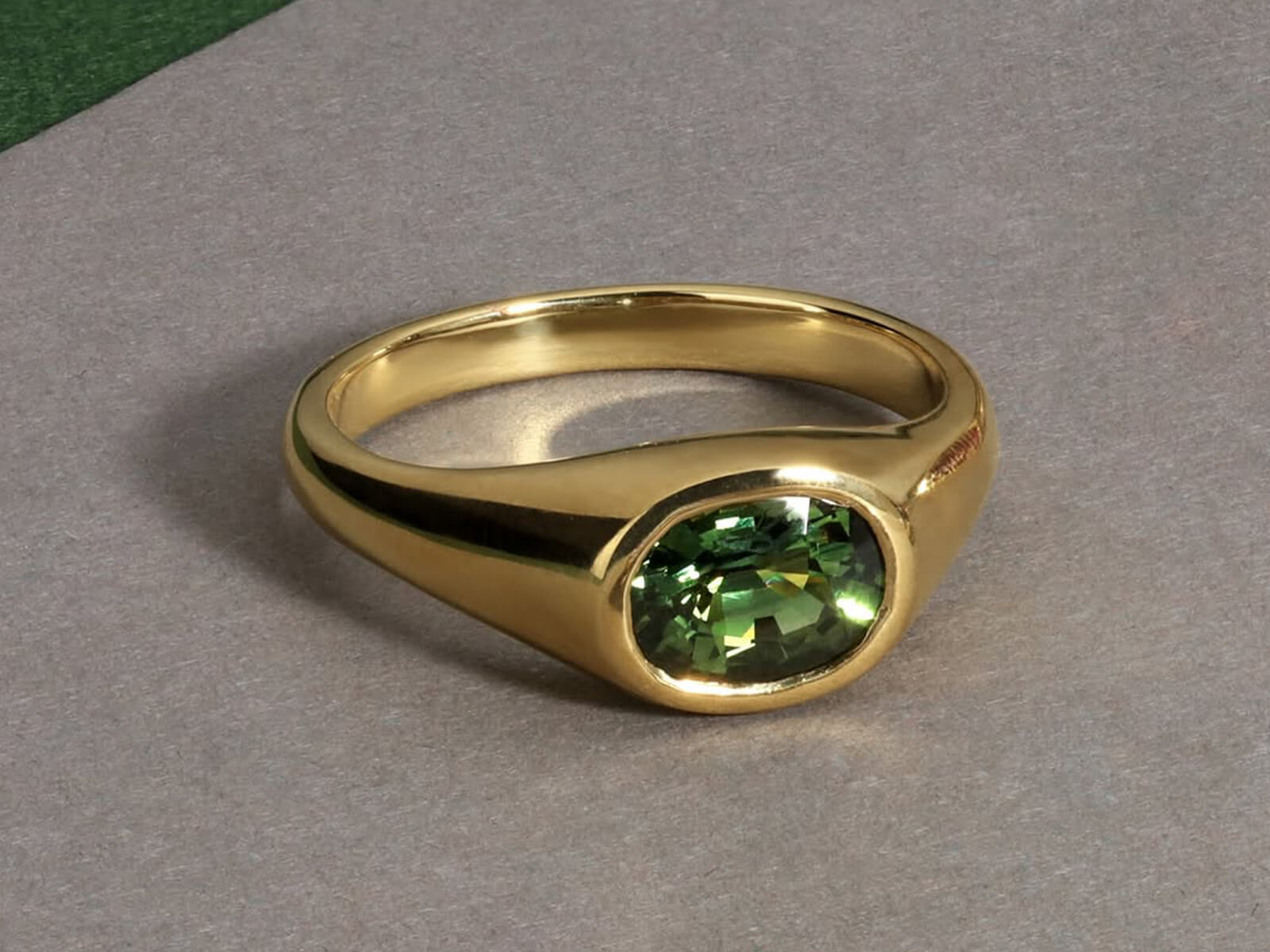
Jewelry photo after retouching in Photoshop
Raw jewelry photo before editing
BEFORE AFTER
‹ ||| ›
↔ Drag to compare PHOTOSHOP FINISHED
Pure #FFFFFF Solid White BG + Subtle Floor Reflection
Low-Opacity Soft, Natural Grounding Drop Shadows
Box-Only Option Clean Grounding for Packaging Shots
Separated PSDs Independent Shadow & Reflection Layers
✦ SHADOW & REFLECTION CHALLENGES

Why Bad Shadows & Missing Reflections Ruin Jewelry Catalogs

Raw studio shadows are multi-directional and muddy, while plain cutouts without grounding look like flat stickers floating in mid-air. Luxury presentation requires controlled optical depth.

✕ The Problem

Flat "Floating Sticker" Cutouts on White

✓ Our Solution

Removing the background without adding a grounding base makes expensive rings and earrings look weightless and fake. We anchor every piece with a realistic contact shadow and floor reflection.

See Grounding Shadow Creation ↓
✕ The Problem

Harsh, Muddy Black Drop Shadows

✓ Our Solution

Cheap editors apply default Photoshop drop shadows with high black opacity—creating dirty grey halos around your jewelry. We dial back shadow opacity for a whisper-soft, high-luxury transition on pure #FFFFFF white.

See Low-Opacity Shadow Control ↓
✕ The Problem

Unaligned Flip Reflections That Look Fake

✓ Our Solution

Simply flipping a ring upside down leaves a gap between curved shanks and the floor. We perspective-warp each reflection to meet the exact contact points and fade it smoothly into pure solid white (#FFFFFF).

See Mirror Floor Reflections ↓
✕ The Problem

Messy Double Shadows on Packaging Box Shots

✓ Our Solution

Adding heavy shadows under both the jewelry and its gift box creates visual clutter. For packaging composites, we apply a clean grounding shadow exclusively underneath the packaging box (box-only shadow).

See Box-Only Shadow Setup ↓
✕ The Problem

Multi-Directional Studio Strobe Shadows

✓ Our Solution

Using 3–4 studio lights casts intersecting grey shadows and wax-blob smudges around the base of a ring. We strip away raw studio mess and rebuild a single, cohesive shadow and reflection profile.

See Flat-Lay & Inner Shadow Care ↓
✕ The Problem

Cramped Framing Cutting Off Shadow Falloff

✓ Our Solution

If a piece is cropped too close to the bottom edge, its reflection or shadow gets clipped into a hard line. We scale every piece slightly smaller and center it so reflections fade to pure #FFFFFF naturally.

Test Our Shadow & Reflection Setup →
✦ OPTICAL DEPTH & GROUNDING

Our Jewelry Shadow & Reflection Services

From low-opacity contact shadows and perspective-warped floor reflections on pure #FFFFFF white to box-only packaging shadows—drag any slider to inspect our precision grounding.

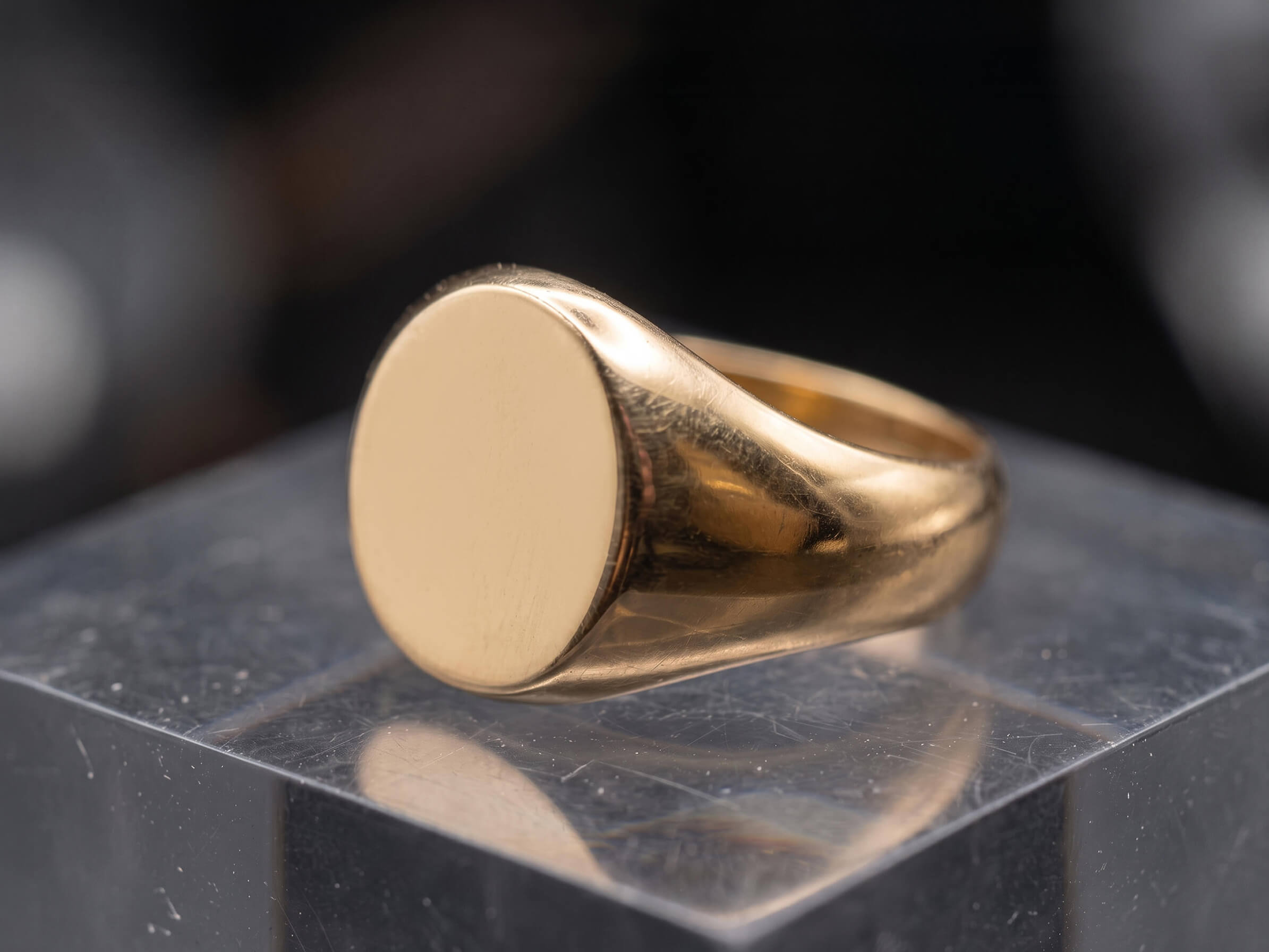
18k gold ring after high-end metal polishing and scratch removal
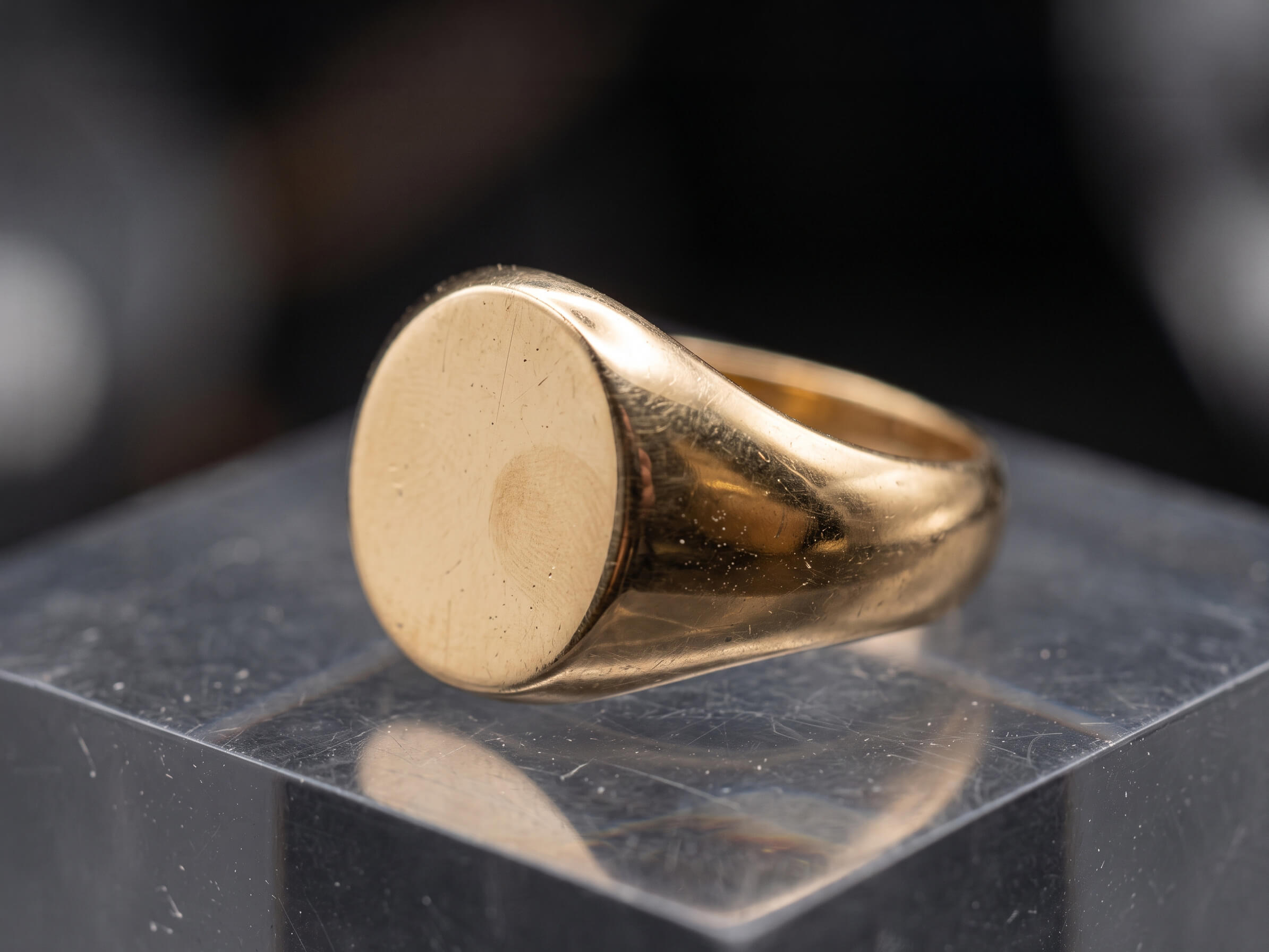
Raw gold ring before retouching showing studio dust and surface scratches
Before After
↔
↔ Drag slider to inspect detail ✓ 100% Hand-Polished in Photoshop
Fixes: Harsh Dark Shadows & Floating Cutouts

Low-Opacity Grounding & Contact Shadow Creation

A luxury shadow should be felt, not noticed. We hand-paint multi-density contact and ambient occlusion shadows directly beneath the base of your ring, earring, or bracelet—using reduced black drop-shadow opacity so your pure solid white (#FFFFFF) background stays bright and clean.

  • ✓
    Soft, low-opacity black drop shadows that anchor the piece without muddy grey halos
  • ✓
    Graduated contact shadow density—tighter at the touchpoint, feathering smoothly outward
  • ✓
    Centered, slightly scaled-back framing so shadow edges never clip against the canvas border
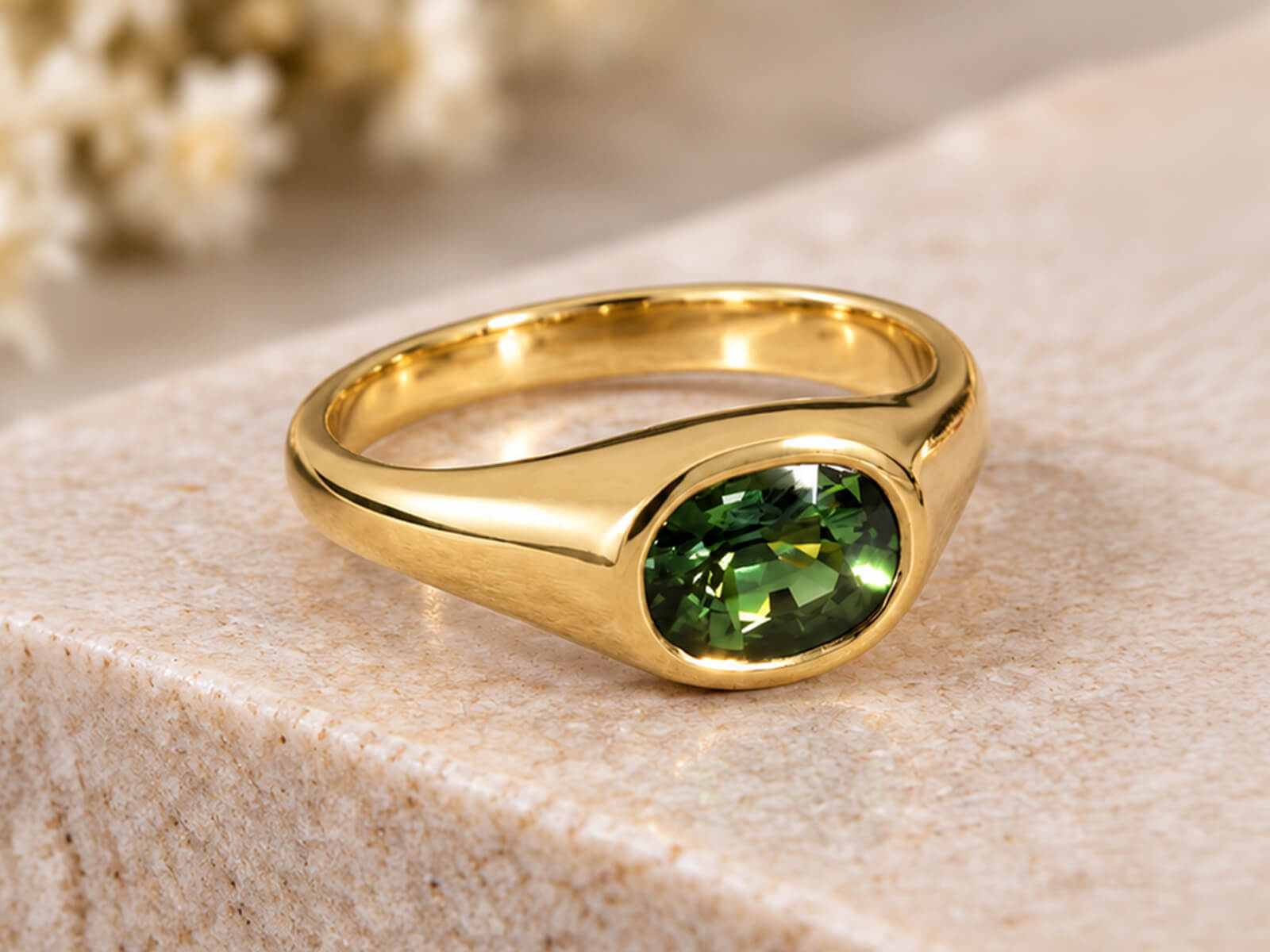
Test Low-Opacity Shadow Free →
Diamond ring after gemstone brilliance and facet enhancement
Raw diamond ring before facet cleanup and color correction
Before After
↔
↔ Drag slider to inspect detail ✓ Natural Facet Integrity Preserved
Fixes: Scratched Acrylic Tables & Unaligned Flip Reflections

Subtle Floor Reflection Creation on Pure White (#FFFFFF)

Shooting on physical plexiglass boards captures dust, scratches, and double-pane ghosting. We isolate your jewelry on a 100% pure solid white (#FFFFFF) background and construct a perspective-warped, low-opacity product reflection that mimics a flawless luxury showroom vitrine.

  • ✓
    Perspective-warped reflection geometry that connects seamlessly with curved ring shanks and stones
  • ✓
    Smooth gradient mask falloff and progressive lens blur so the reflection fades naturally into #FFFFFF
  • ✓
    Combined reflection + low-opacity contact shadow for maximum 3D catalog presence
Test Floor Reflection Free →
Jewelry piece isolated on pure white #FFFFFF background with soft reflection
Raw jewelry piece on gray studio background with wax support
Before After
↔
↔ Drag slider to inspect detail ✓ Pure White (#FFFFFF) + Soft Reflection
Fixes: Cluttered Double Shadows on Gift Box Shots

Box-Only Grounding Shadows for Packaging Composites

When showcasing a ring, necklace, or watch alongside its branded presentation box, overlapping shadows between the piece and the box look messy. We follow a strict box-only shadow workflow—applying a clean, low-opacity grounding shadow exclusively underneath the packaging box on pure #FFFFFF white.

  • ✓
    Grounding shadow applied strictly underneath the packaging box for an ultra-clean layout
  • ✓
    Realistic inner ring-slot and velvet pillow contact shading inside open gift boxes
  • ✓
    Centered, slightly smaller composite framing on pure solid white (#FFFFFF) backgrounds
Test Box-Only Shadow Free →
Jewelry recolored accurately from white gold to 18k yellow gold
Original single metal tone jewelry photograph before color variant creation
Before After
↔
↔ Drag slider to inspect detail ✓ Yellow · White · Rose Gold Variants
Fixes: Flat Top-Down Necklaces, Chains & Earrings

Flat-Lay Drop Shadows & Inner-Shank Shading

Top-down flat-lay necklaces, bracelets, and stud earrings don't stand upright on a floor—they need a delicate, uniform elevation shadow beneath every link and setting, plus natural 3D shading inside the inner ring band.

  • ✓
    Subtle, low-opacity elevation shadows following every individual chain link and pendant bail
  • ✓
    Natural inner-shank gradient shading so rings look three-dimensional while keeping hallmarks sharp
  • ✓
    Matched shadow angles and opacity across all flat-lay and upright angles in a product gallery
Test Flat-Lay Shadow Free →
Focus stacked jewelry image with sharp back shank and symmetrical prongs
Unstacked macro jewelry shot with shallow depth of field and uneven prongs
Before After
↔
↔ Drag slider to inspect detail ✓ Edge-to-Edge Tack Sharpness
Fixes: Black Camera Glare & Studio Tent Seams on Metal

Surface Specular Reflection Cleanup & Liquid-Metal Luster

Reflection work isn't just on the floor—it's on the jewelry itself. High-polish gold and platinum act like curved mirrors, capturing your black camera lens and studio tent seams. We strip away harsh glare and render smooth, liquid-metal surface reflections.

  • ✓
    Erasing dark camera lens reflections, tripod legs, and light-tent seams from domed metals
  • ✓
    Rebuilding silky specular highlight-to-shadow gradients via non-destructive Dodge & Burn
  • ✓
    Delivered as layered PSDs with separate jewelry, floor reflection, and low-opacity shadow layers
Test Surface & Floor Reflection Free →
✦ OPTICAL PHYSICS VS ONE-CLICK FILTERS

Why Luxury Jewelers Choose Hand-Painted Shadows Over Automated Actions

One-click Photoshop actions and AI shadow generators slap on dark, muddy blobs and unaligned vertical flips that defy optical physics. We craft every shadow and reflection manually at 300% zoom.

⚠ Risk to Your Brand Automated Filters

Automated Shadow Apps & Cheap Actions

  • ✕
    Heavy Black Drop Shadows: High-opacity black shadows create a dirty grey ring around your product on white backgrounds.
  • ✕
    Disconnected Flip Reflections: Simple vertical flips leave an unnatural gap between curved ring shanks and the reflection.
  • ✕
    Cluttered Packaging Shadows: Casts conflicting double shadows under both the jewelry and the gift box.
  • ✕
    Hard Clipped Shadow Edges: Tight cropping slices off the shadow feathering, leaving an ugly hard line at the bottom of the frame.
Outcome: Inaccurate product representation High Return Risk
✦ Our Standard 🔍 300% Macro Zoom

Our Manual Photoshop Shadow & Reflection Artisans

  • ✓
    Reduced-Opacity Grounding: Whisper-soft, low-opacity contact shadows that anchor each piece on pure solid white (#FFFFFF).
  • ✓
    Perspective-Warped Reflections: Custom-aligned floor reflections with realistic optical blur and smooth gradient fade-out.
  • ✓
    Clean Box-Only Shadows: For packaging composites, grounding shadows are applied exclusively beneath the box.
  • ✓
    Centered, Scaled-Back Framing: Balanced margins ensure every shadow and reflection fades to #FFFFFF before the canvas edge.
Outcome: True-to-life luxury catalog 100% Buyer Trust ✓
✦ SIGNATURE GROUNDING STANDARDS

Engineered for Cohesive Store Grids & Luxury Packaging

We lock in your exact shadow opacity, reflection fade length, centered product scale, and pure solid white (#FFFFFF) background across every shoot.

#FF
RGB 255,255,255

Pure Solid White Floor

Every shadow and reflection fades smoothly into a 100% pure solid white (#FFFFFF) background—compliant with all marketplace rules.

Zero grey edge clipping
◇
Low-Opacity

Soft Shadow & Reflection

Reduced-opacity black drop shadows paired with subtle floor reflections give each piece natural weight without visual clutter.

Locked opacity preset for your brand
BOX
Packaging Spec

Box-Only Grounding Shadow

For product-and-packaging composites, grounding shadows are applied exclusively beneath the packaging box for a clean finish.

Eliminates messy double shadows
PSD
Editable Layers

Separated Shadow Layers

Receive flattened web JPG/PNGs alongside layered PSDs where the product, reflection, and drop shadow sit on independent layers.

Adjust opacity anytime in 1 click
✔ Pre-Verified Export Specs For:
✓ Shopify & Shopify Plus ✓ Amazon Luxury Stores ✓ Etsy & eBay ✓ Google Merchant Center ✓ 300 DPI Print Lookbooks
✦ TRANSPARENT SHADOW & REFLECTION RATES

Jewelry Shadow & Reflection Creation Pricing

Straightforward per-image rates including precision Pen Tool cutouts, pure solid white (#FFFFFF) backgrounds, low-opacity shadows, and subtle floor reflections.

Tier 01 · Cutout + Shadow/Reflection Simple jewelry shadow and reflection pricing example

Single Piece Shadow & Reflection

Best for: Solitaire rings, wedding bands, stud earrings, loose gems & packaging boxes.

From $2.00 $2.00 / image
⚡ 12–24 Hour Delivery · 2048×2048 px Ready
  • ✓ Hand-drawn Pen Tool cutout & pure solid white (#FFFFFF) BG
  • ✓ Centered, slightly scaled-back catalog framing
  • ✓ Low-opacity grounding drop shadow creation
  • ✓ Subtle perspective-matched product floor reflection
  • ✓ Box-only grounding shadow option for gift boxes
Test With 1 Free Sample No credit card required
Tier 03 · Complex Sets & Chains Complex multi-piece set and link chain shadow and reflection example

Complex Chains, Sets & Watches

Best for: Intricate link chains, bridal ring stacks, multi-piece parures, tennis bracelets & luxury watches.

From $7.00 $7.00 / image
⚡ 24–48 Hour Delivery · Senior Artisan Assigned
  • ✓ Everything in Full Retouch tier
  • ✓ Multi-hole chain link cutouts & link-by-link flat-lay shadows
  • ✓ Complex multi-point floor reflections for tennis bracelets
  • ✓ Interlocking shadow integration for bridal ring stacks
  • ✓ Stone-by-stone pavé brightening & focus stack blending
Send Challenging Shot Free Custom quote within 2 hours

Not sure which complexity tier fits your jewelry collection?

Send us 1–2 raw sample images. We will retouch a sample for free and give you an exact per-image quote for your catalog.

Request Free Sample & Quote →
✦ HOW IT WORKS

How Our Shadow & Reflection Creation Workflow Works

Four simple steps from raw studio captures on wax or stands to grounded, pure-white (#FFFFFF) catalog imagery.

01
Step 01

Upload Captures & Specs

Send your RAW, TIFF, PSD, or JPEG photos and let us know if you prefer standard reflection + shadow or box-only shadows.

⚡ Takes under 60 seconds
02
Step 02

Pen Cutout & Glare Cleanup

We hand-draw vector Pen Tool paths, erase wax and studio props, and remove harsh camera reflections from the metal surface.

✦ 100% Manual Pen Tool
03
Step 03

Shadow & Reflection Rendering

We center and scale the piece slightly smaller on pure #FFFFFF white, crafting a perspective floor reflection and low-opacity shadow.

✓ Strict Opacity & Margin QA
04
Step 04

24h Layered & Web Delivery

Download ready-to-list web PNG/JPGs alongside layered PSDs with editable shadow/reflection layers within 12–24 hours.

∞ Unlimited Free Revisions
✦ Client Feedback

Trusted by Fine Jewelry Brands & Commercial Photographers

A few words from studio directors and jewelry brand founders about our detail preservation, catalog consistency, and manual Photoshop finish.

★★★★★ 4.9 / 5 Average Client Rating 100% Manual Photoshop Guaranteed
FAQ

Frequently Asked Questions About Jewelry Shadows & Reflections

Answers to common questions about low-opacity grounding shadows, pure white (#FFFFFF) floor reflections, box-only packaging shadows, and layered PSDs.

How do you format reflections and drop shadows on a pure white (#FFFFFF) background?

Every piece is isolated onto a 100% pure solid white (#FFFFFF) background, centered and scaled slightly smaller so the composition has clean breathing room. We pair a subtle, perspective-warped product reflection on the solid white floor with a reduced-opacity black grounding drop shadow—giving the piece realistic weight without heavy dark smudges.

When compositing jewelry with its presentation box on a pure solid white (#FFFFFF) background, adding heavy floor shadows under both items creates visual clutter. Instead, we apply a clean, low-opacity grounding shadow exclusively underneath the packaging box (box-only shadow) while keeping natural slot shading inside the box.

Physical acrylic or glass boards attract every speck of studio dust, show micro-scratches under macro lenses, create double-layer ghost reflections, and make it impossible to get a pure #FFFFFF background in-camera. Creating the reflection in Photoshop gives you a 100% pure white floor and identical reflection opacity across every SKU.

Yes! High-polish gold, silver, and platinum act like mirrors, reflecting your black camera lens, fingers, and light-tent seams. Alongside creating the floor shadow and reflection, our retouchers clean the metal surface and render smooth, liquid-metal specular gradients.

Are the shadow and reflection delivered on separate layers in the PSD file?

Absolutely. In your master layered PSD/TIFF files, the isolated jewelry piece, the floor reflection, the low-opacity contact shadow, and the pure #FFFFFF background each sit on their own named layer—allowing your team to toggle or adjust opacity anytime.

Standard turnaround is 24 to 48 hours depending on complexity and volume. Express 12-hour delivery is also available for urgent campaign launches.

Every order includes revisions to make sure metal tones, shadow intensity, and stone brilliance match your exact brand guidelines.

SEE OUR SHADOW & REFLECTION FINISH FIRSTHAND

Test Our Shadow & Reflection Creation—Free

Send us a raw ring, earring, or product + packaging box capture. We will isolate it on pure solid white (#FFFFFF) with centered framing, a subtle floor reflection, and a low-opacity grounding shadow within 24 hours—completely free.

  • ✓
    1 Free Sample Image retouched to your exact catalog specs
  • ✓
    12–24 Hour Turnaround delivered straight to your inbox
  • ✓
    100% Confidential with strict NDA protection

Request Your Free Sample

Tick the issues you want fixed and paste your file link below.

No credit card required · 100% Secure & Confidential

🎉 Thank You! Request Received

We have received your free sample request and selected editing preferences. Our senior retoucher will review your file and deliver the finished sample within 12–24 hours!

AI ARTIFACT REPAIR & REAL PRODUCT COMPOSITING

AI Jewelry Image Fixing & Restoration

Love the look of AI-generated models and backgrounds, but hate how AI melts prongs, warps diamond facets, and alters your jewelry's real design? Our Photoshop specialists manually composite your authentic physical jewelry back onto AI visuals and rebuild distorted details with 100% geometric accuracy.

100% True Product Geometry Real Jewelry On AI Models Prong, Facet & Stamp Restoration
Jewelry photo after retouching in Photoshop
Raw jewelry photo before editing
BEFORE AFTER
‹ ||| ›
↔ Drag to compare PHOTOSHOP FINISHED
100% True SKU Real Jewelry Restored Over AI Hallucinations
Zero Melted Prongs Crisp Claws, Pavé Beads & Facets Rebuilt
Seamless Blending Natural Skin Shadows & Lighting Integration
12–24h Turnaround Fast Photoshop Rescue for AI Campaigns
✦ AI JEWELRY ERRORS WE FIX

Why Raw AI-Generated & AI-Edited Jewelry Photos Fail in E-Commerce

Midjourney, Photoroom, Flux, and AI background generators are great for scenes—but they hallucinate fine jewelry details and misrepresent your actual product.

✕ AI Hallucination

Melted Prongs & Warped Micro-Pavé Settings

✓ Our Solution

AI upscalers and enhancers blur tiny claws and fuse pavé stones together. We manually reconstruct crisp prong geometry and individual melee diamonds.

See Prong & Pavé Restoration ↓
✕ Altered Designs

AI Models Wearing a "Mutated" Version of Your Piece

✓ Our Solution

When AI places your ring or necklace on a model, it changes stone counts and band thickness. We composite your 100% real studio jewelry onto the AI model.

See Real-to-AI Model Compositing ↓
✕ Fake Gem Optics

scrambled Diamond Facets & Glassy Stones

✓ Our Solution

Generative AI invents asymmetrical, spider-web facet lines that don't exist in real cuts. We restore your real macro diamond facets and authentic internal fire.

See Authentic Facet Rebuild ↓
✕ Broken Chains

Disjointed Necklace Links & Missing Inner Cutouts

✓ Our Solution

AI background removers chop through delicate chain links and leave grey blobs inside filigree holes. We rebuild broken links and hand-draw Pen Tool cutouts.

See Chain & Edge Restoration ↓
✕ Gibberish Engravings

Garbled Hallmarks, Logos & 18k/925 Stamps

✓ Our Solution

AI turns inner band hallmarks, brand logos, and watch dial typography into alien symbols. We cleanly reconstruct or composite your crisp original stamps.

See Hallmark & Logo Repair ↓
✕ Uncanny Valley

Floating "Sticker" Look & Warped AI Fingers

✓ Our Solution

AI lifestyle shots often have bad contact shadows or weird finger/ear anatomy. We fix skin textures, anatomies, and paint realistic ambient occlusion shadows.

See AI Model & Shadow Cleanup ↓
✦ HYBRID AI + MANUAL PHOTOSHOP WORKFLOW

Our AI Jewelry Image Fixing & Restoration Services

Get the speed and creative freedom of AI imagery without sacrificing product accuracy. Drag any slider to see how we rescue AI-damaged jewelry photos in Photoshop.

18k gold ring after high-end metal polishing and scratch removal
Raw gold ring before retouching showing studio dust and surface scratches
Before After
↔
↔ Drag slider to inspect detail ✓ 100% Hand-Polished in Photoshop
Fixes: Melted Claws, Warped Pavé & Gibberish Stamps

Prong, Bezel & Micro-Pavé Geometry Restoration

When AI upscalers or enhancers process fine jewelry, they melt tiny metal claws into the stones and smudge engravings. We manually rebuild symmetrical prongs, crisp pavé beads, and sharp inner-band hallmarks in Photoshop.

  • ✓
    Reconstructing melted, asymmetrical, or missing prongs and bezel edges
  • ✓
    Restoring garbled brand logos, 14k/18k/925 hallmarks, and watch dial text
  • ✓
    Replacing waxy, plastic AI metal surfaces with realistic liquid-metal gradients
Test AI Prong Restoration Free →
Diamond ring after gemstone brilliance and facet enhancement
Raw diamond ring before facet cleanup and color correction
Before After
↔
↔ Drag slider to inspect detail ✓ Natural Facet Integrity Preserved
Fixes: AI Models Wearing Mutated Jewelry

Real Jewelry Compositing Onto AI Models & Scenes

Generated an amazing AI model or editorial scene, but the AI changed your jewelry design? Send us the AI image alongside your real studio product photo—we will seamlessly composite your exact physical piece onto the model.

  • ✓
    100% accurate preservation of your real SKU's stone count, setting, and proportions
  • ✓
    Perspective warping, scale calibration, and realistic skin-contact shadow painting
  • ✓
    Matching ambient color temperature, specular highlights, and depth-of-field blur to the AI scene
Test AI Model Compositing Free →
Jewelry piece isolated on pure white #FFFFFF background with soft reflection
Raw jewelry piece on gray studio background with wax support
Before After
↔
↔ Drag slider to inspect detail ✓ Pure White (#FFFFFF) + Soft Reflection
Fixes: Hallucinated Facets & Fake CGI Stones

AI-Warped Diamond Facet & Gemstone Reconstruction

AI tools don't understand gemology—they turn structured Round Brilliant, Emerald, or Oval cuts into chaotic, mushy patterns. We replace hallucinated stone textures with authentic, razor-sharp facet geometry and natural light return.

  • ✓
    Restoring true geometric table, crown, and pavilion facet lines from your original capture
  • ✓
    Removing weird AI color blobs, neon artifacts, and fake cartoon sparkle overlays
  • ✓
    Calibrating true-to-life diamond brilliance and GIA-accurate colored gemstone hues
Test AI Stone Restoration Free →
Jewelry recolored accurately from white gold to 18k yellow gold
Original single metal tone jewelry photograph before color variant creation
Before After
↔
↔ Drag slider to inspect detail ✓ Yellow · White · Rose Gold Variants
Fixes: Broken Chains & Botched AI Background Removal

Broken Chain Link Repair & AI Cutout Edge Rescue

One-click AI background removers (like Photoroom or Canva) routinely erase thin necklace chains, leave jagged grey halos, and fail to cut out inner filigree holes. We manually repair broken links and draw sub-pixel Pen Tool paths.

  • ✓
    Rebuilding missing or dissolved necklace chain links, clasps, and thin earring wires
  • ✓
    Cleaning upcolor fringing, jagged pixel halos, and leftover background chunks inside lattice work
  • ✓
    Placing rescued pieces on pure #FFFFFF white or custom AI lifestyle grounds with natural shadows
Test AI Cutout Rescue Free →
Focus stacked jewelry image with sharp back shank and symmetrical prongs
Unstacked macro jewelry shot with shallow depth of field and uneven prongs
Before After
↔
↔ Drag slider to inspect detail ✓ Edge-to-Edge Tack Sharpness
Fixes: Weird AI Fingers, Ears & Plastic Skin

AI Model Anatomy Cleanup & High-Fashion Skin Retouching

AI-generated hands, fingers, earlobes, and necklines often suffer from subtle anatomical glitches or overly plastic skin texture that give away the AI origin. We refine the model's anatomy and skin so your campaign looks 100% shot-on-location.

  • ✓
    Fixing distorted finger joints, weird fingernails, asymmetrical earlobes, and neck creases
  • ✓
    Adding realistic skin pores and natural chain-weight indentation on the model's neck or wrist
  • ✓
    Up-scaling and de-noising low-resolution AI generations to 300 DPI print & 4K web standards
Test AI Model Cleanup Free →
✦ THE HYBRID ADVANTAGE

Raw AI Generation vs. Our Hybrid AI + Photoshop Restoration

Publishing raw AI jewelry images risks false-advertising complaints and high return rates. Our hybrid workflow gives you the best of both worlds: AI creative speed + 100% real product accuracy.

⚠ Risk to Your Brand Automated Filters

Raw Unedited AI Jewelry Outputs

  • ✕
    Altered SKU Geometry: AI changes your prong count, warps stone shapes, and invents details that don't exist on your real piece.
  • ✕
    Melted Pavé & Mushy Facets: Under zoom, micro-pavé settings look like melted wax and diamonds lack real facet structure.
  • ✕
    Fake "Pasted" Lighting: AI background generators leave harsh halo edges and unrealistic shadows beneath the jewelry.
  • ✕
    Customer Return Disputes: Buyers feel deceived when the physical jewelry doesn't match the AI-mutated photo.
Outcome: Inaccurate product representation High Return Risk
✦ Our Standard 🔍 300% Macro Zoom

Our Photoshop AI-Rescue Specialists

  • ✓
    100% Exact Product Preservation: We composite and lock in your real physical jewelry so every millimeter is authentic.
  • ✓
    Rebuilt Prongs & Crisp Facets: Every claw, bezel, hallmark, and diamond facet is hand-restored at 300% macro zoom.
  • ✓
    Photorealistic Scene Integration: Custom contact shadows, skin reflections, and color-matched specular highlights.
  • ✓
    4K Print & Zoom Ready: Clean, artifact-free 16-bit PSD and high-res PNG/JPG files ready for luxury e-commerce.
Outcome: True-to-life luxury catalog 100% Buyer Trust ✓
✦ AUTHENTICITY & QUALITY STANDARDS

Turn AI Concepts Into Compliant, High-Converting Catalog Assets

Whether you use Midjourney, Flux, Photoroom, or Magnific AI in your creative workflow, we make your final images 100% e-commerce and print compliant.

SKU
100% True Product

Exact Physical Detail Lock

We overlay and blend your real studio jewelry capture so stone counts, prong shapes, and proportions remain 100% true to the physical item.

Zero false-advertising risk
3D
Natural Physics

Realistic Light & Shadow Blending

We paint accurate contact shadows, skin indentations, and ambient environment reflections so the jewelry never looks pasted on.

Matches AI scene lighting direction
4K
300 DPI + Zoom

Artifact-Free Macro Resolution

We eliminate AI noise,checkerboard artifacts, and blurry upscaling halos so your images pass 400% zoom inspection and billboard print.

Crisp edges on Retina & 4K screens
PSD
Layered Master

Separated Product & Scene Layers

Receive web-ready PNG/JPEGs alongside layered PSDs where the real jewelry, shadows, and AI background sit on independent layers.

Easy future background or color swaps
✔ Pre-Verified Export Specs For:
✓ Shopify & Shopify Plus ✓ Amazon Luxury Stores ✓ Etsy & eBay ✓ Google Merchant Center ✓ 300 DPI Print Lookbooks
✦ TRANSPARENT AI-FIXING RATES

AI Jewelry Image Fixing & Compositing Pricing

Straightforward per-image pricing based on whether you need quick AI cutout/artifact cleanup, detail reconstruction, or full real-to-AI model compositing.

Tier 01 · AI Cutout & Edge Rescue AI cutout and edge artifact fixing pricing example

AI Cutout & Artifact Cleanup

Best for: Fixing botched Photoroom/Canva cutouts, jagged edges, minor AI halos & stamp cleanup.

From $3.00 $3.00 / image
⚡ 12–24 Hour Delivery · Crisp Pen Tool Edges
  • ✓ Fixing jagged AI background removal edges & halos
  • ✓ Cutting out missed inner holes & filigree openings
  • ✓ Restoring garbled inner hallmarks & brand stamps
  • ✓ Removing waxy AI noise from gold & silver surfaces
  • ✓ Pure white (#FFFFFF) or custom background grounding
Test With 1 Free Sample No credit card required
Tier 03 · Real-to-AI Composite Real jewelry composited onto AI model and lifestyle scene pricing example

AI Model & Lifestyle Compositing

Best for: Placing your real jewelry onto AI models (hands, neck, ears) & fixing AI anatomy.

From $10.00 $10.00 / image
⚡ 24–48 Hour Delivery · Senior Compositor Assigned
  • ✓ Everything in Prong & Stone Restoration tier
  • ✓ Precision compositing of real SKU onto AI model/scene
  • ✓ Realistic skin-contact shadows, reflections & lighting match
  • ✓ Fixing AI finger, hand, ear & skin texture glitches
  • ✓ 4K resolution upscaling & layered master PSD delivery
Send Challenging Shot Free Custom quote within 2 hours

Not sure which complexity tier fits your jewelry collection?

Send us 1–2 raw sample images. We will retouch a sample for free and give you an exact per-image quote for your catalog.

Request Free Sample & Quote →
✦ HOW IT WORKS

How Our AI Jewelry Image Fixing Workflow Works

Four seamless steps to rescue distorted AI jewelry visuals and lock in 100% real product accuracy.

01
Step 01

Send AI Image + Real Reference

Upload your AI-generated/edited image along with a clear reference photo of your real physical jewelry piece.

⚡ Works With Any AI Tool Output
02
Step 02

Real Detail Compositing

Our Photoshop specialists extract your real jewelry details and align them over the AI-mutated areas with sub-pixel accuracy.

✦ 100% Authentic SKU Geometry
03
Step 03

Prong, Facet & Light Blending

We rebuild melted prongs, sharpen diamond facets, fix AI skin/anatomy glitches, and paint natural contact shadows.

✓ Seamless Lighting Integration
04
Step 04

24h High-Res Delivery

Download 4K web- and print-ready files within 12–24 hours. Unlimited free revisions are always included.

∞ Unlimited Free Revisions
✦ Client Feedback

Trusted by Fine Jewelry Brands & Commercial Photographers

A few words from studio directors and jewelry brand founders about our detail preservation, catalog consistency, and manual Photoshop finish.

★★★★★ 4.9 / 5 Average Client Rating 100% Manual Photoshop Guaranteed
FAQ

Frequently Asked Questions About AI Jewelry Image Fixing

Everything you need to know about rescuing AI-generated models, fixing melted prongs, and compositing real jewelry onto AI scenes.

Can you put my real jewelry onto an AI-generated model without changing my product's design?

Yes! That is our most requested AI-fixing service. Simply send us the AI model/lifestyle image alongside a studio or smartphone photo of your actual jewelry piece from a similar angle. We manually composite your real piece onto the model, match the lighting temperature, and paint realistic skin-contact shadows so your SKU remains 100% accurate.

Absolutely. AI enhancers (like Magnific, Topaz, or Krea) often hallucinate over tiny jewelry details—fusing micro-pavé stones together and melting prong tips. Our retouchers work manually in Photoshop at 300% zoom to reconstruct crisp, symmetrical claws and authentic diamond facets.

Yes. Automated background removers struggle with fine link chains and lattice work—leaving grey chunks inside the links or erasing thin sections entirely. We manually redraw missing chain links, cut out every interior link hole with the Pen Tool, and blend natural shadows onto your background.

Definitely. AI lifestyle images frequently suffer from uncanny-valley finger joints, distorted fingernails, or asymmetrical earlobes right next to your jewelry. We perform high-end beauty and anatomical retouching on the AI model so the entire campaign looks like an authentic studio shoot.

What files should I send for AI Jewelry Image Fixing?

Send us the AI-generated or AI-edited image you want fixed, PLUS your original unedited product photo (RAW, PNG, PSD, or JPEG) so our retouchers have an exact visual reference of your real jewelry's prong structure, stone cut, and hallmarks.

Standard turnaround is 24 to 48 hours depending on complexity and volume. Express 12-hour delivery is also available for urgent campaign launches.

Every order includes revisions to make sure metal tones, shadow intensity, and stone brilliance match your exact brand guidelines.

RESCUE YOUR AI JEWELRY VISUALS

Test Our AI Jewelry Image Fixing Service—Free

Send us 1 AI-damaged jewelry image (or an AI model shot alongside your real product photo). We will restore your exact product details in Photoshop and deliver a flawless master sample within 24 hours—free.

  • ✓
    1 Free Sample Image retouched to your exact catalog specs
  • ✓
    12–24 Hour Turnaround delivered straight to your inbox
  • ✓
    100% Confidential with strict NDA protection

Request Your Free Sample

Tick the issues you want fixed and paste your file link below.

No credit card required · 100% Secure & Confidential

🎉 Thank You! Request Received

We have received your free sample request and selected editing preferences. Our senior retoucher will review your file and deliver the finished sample within 12–24 hours!