eCommerce Jewelry Photo Editing Services
Turn raw lightbox captures into high-converting online store listings for Shopify, Amazon, Etsy, and WooCommerce. We isolate every piece on pure solid white (#FFFFFF) with centered, balanced framing, low-opacity grounding shadows, subtle floor reflections, true metal color swatches, and 10x zoom-ready diamond brilliance.
What Is Holding Back Your Online Jewelry Store Conversions?
Online shoppers cannot touch or try on your jewelry. Inconsistent collection grids, dull diamonds, off-white backgrounds, and inaccurate metal colors cause instant cart abandonment.
Messy Collection Grids & Uneven Product Sizing
When rings, studs, and necklaces vary in crop size and alignment, your store looks untrustworthy. We center and scale every piece slightly smaller with uniform whitespace margins.
Off-White Lightbox Backgrounds & Harsh Shadows
Greyish studio backgrounds fail Amazon/Google audits, and dark drop shadows look muddy. We isolate every SKU on pure #FFFFFF white with a low-opacity shadow and soft floor reflection.
Scratched Metals & Lifeless Stones Under 10x Zoom
Shopify and Amazon buyers use pinch-to-zoom to inspect quality. We remove microscopic dust and scratches, eliminate black camera glare, and sharpen every diamond facet.
High Studio Costs for Multi-Metal & Stone SKUs
Photographing every ring in Yellow Gold, White Gold, Rose Gold, and 5 birthstones drains your budget. Shoot once and let us generate 100% swatch-matched color variants.
Cluttered Packaging Box & Bundle Presentations
Showing jewelry with its branded box increases gift sales, but raw box shots have messy double shadows. We composite box shots on pure #FFFFFF white with clean box-only grounding shadows.
Slow Page Speeds & Unorganized SKU Filenames
Heavy uncompressed files slow down mobile checkout. We deliver crisp, sRGB-calibrated WebP/JPEG/PNG files named and sorted to match your exact Shopify or ERP SKU sheet.
Our eCommerce Jewelry Photo Editing Services
Built for DTC jewelry brands, Shopify Plus stores, and marketplace sellers. Drag any slider to see how we turn raw studio captures into cohesive, conversion-ready product listings.
Pure White (#FFFFFF) Cutouts, Soft Reflections & Grid Alignment
A cohesive collection page starts with surgical cutouts and standardized framing. We hand-trace every piece with the Photoshop Pen Tool, center and scale it slightly smaller on pure solid white (#FFFFFF), and ground it with a subtle reflection and low-opacity drop shadow.
- ✓100% hand-drawn multi-hole Pen Tool paths inside every chain link and gallery opening
- ✓Verified RGB(255,255,255) pure solid white backgrounds with centered, balanced margins
- ✓Subtle product floor reflections paired with reduced-opacity natural grounding shadows
10x Zoom-Ready Metal Polishing & Gemstone Brilliance
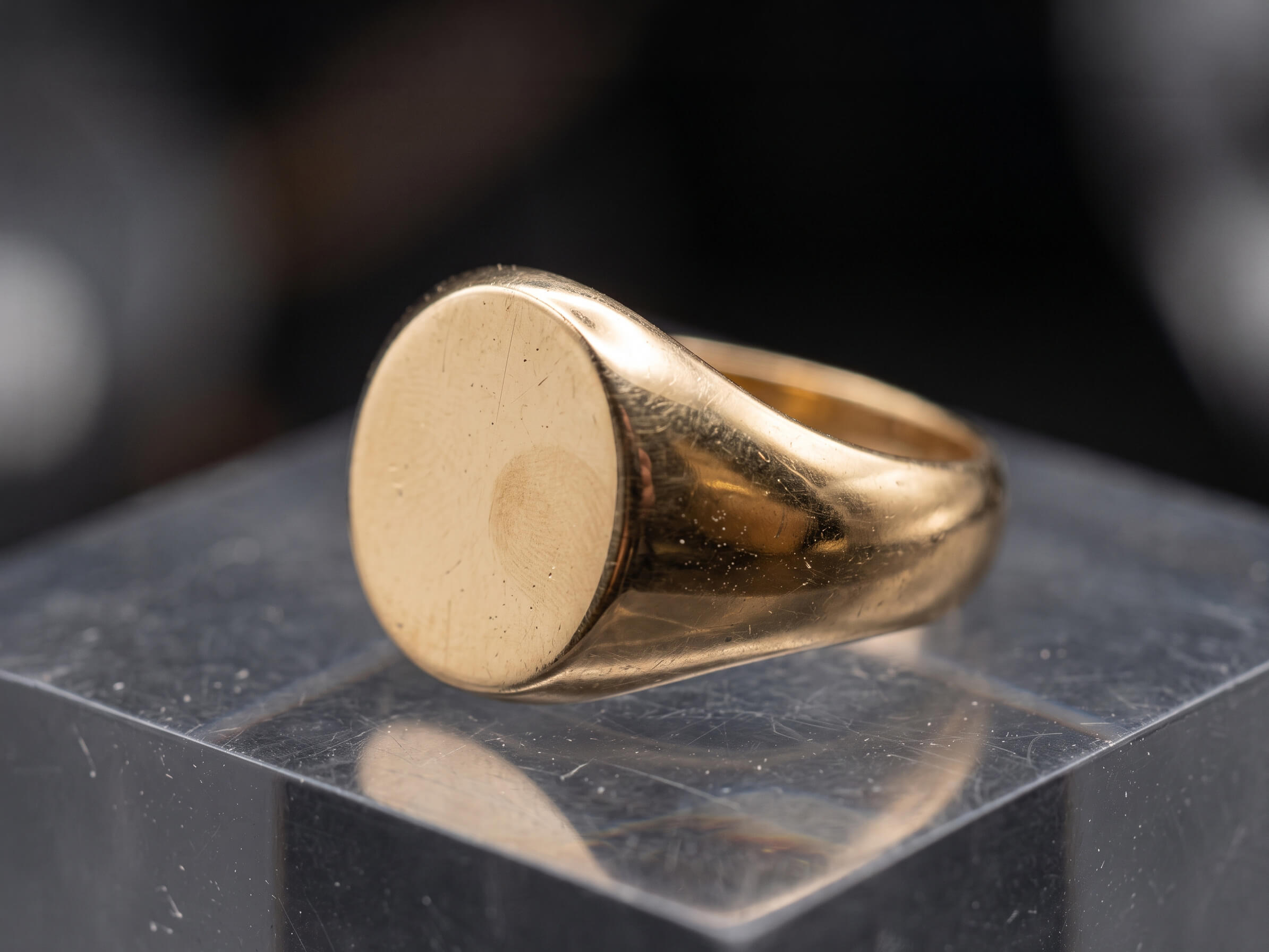
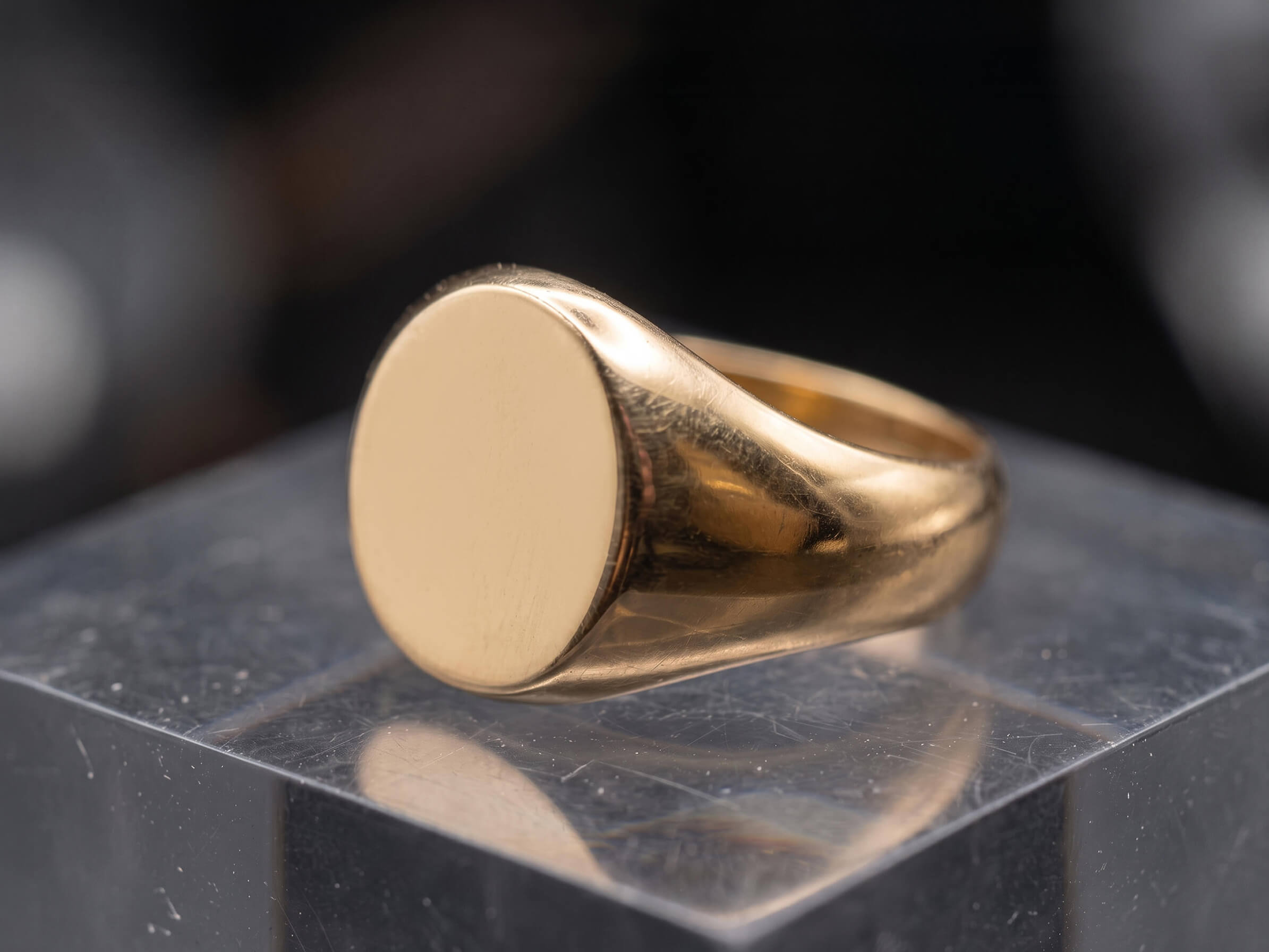
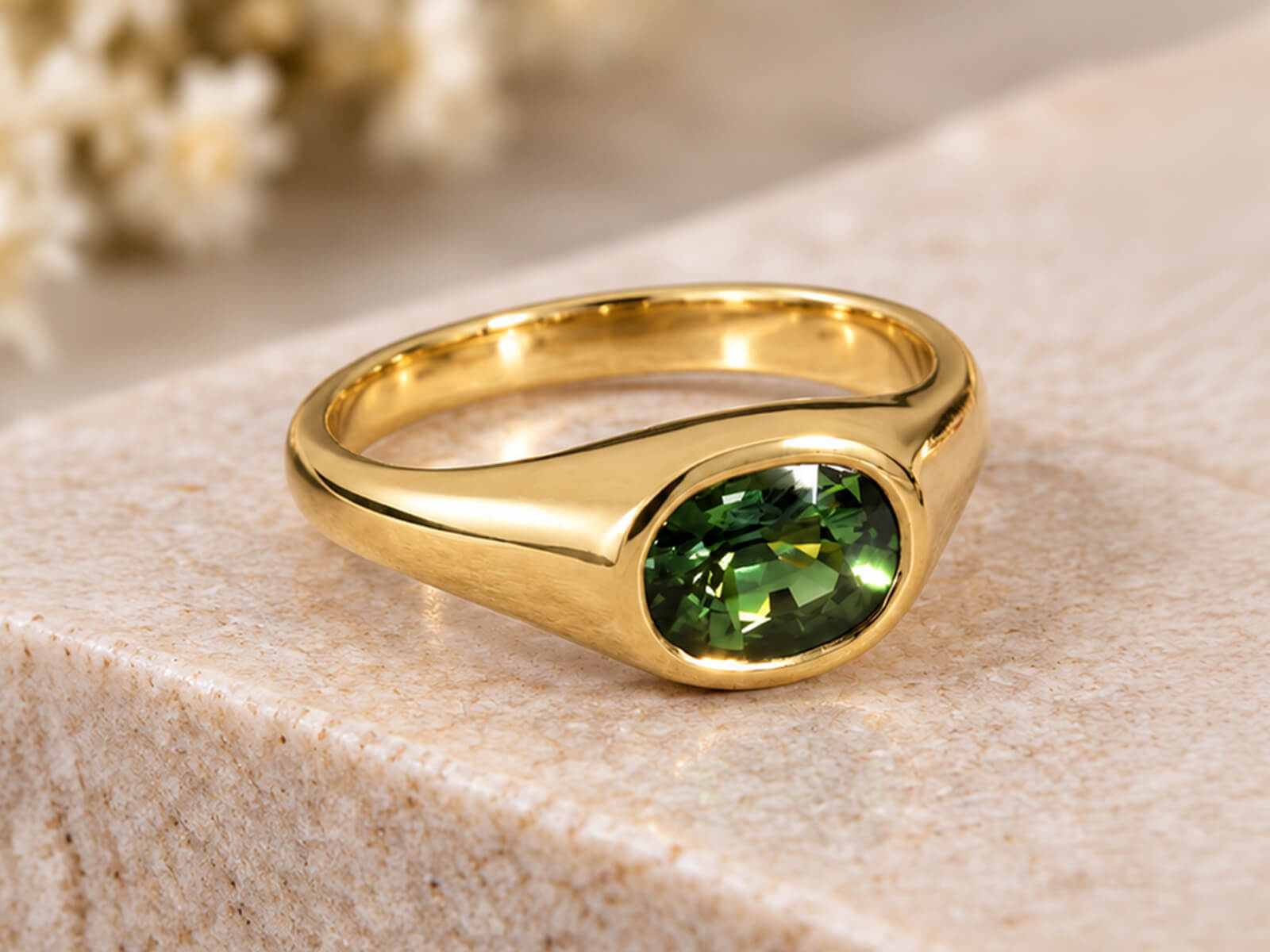
Online jewelry shoppers zoom in to 400% before clicking "Add to Cart." We purify gold, silver, and platinum surfaces via non-destructive Dodge & Burn, keep inner hallmarks crisp, and boost facet-by-facet diamond fire.
- ✓Removal of micro-scratches, casting pits, fingerprints, and studio positioning wax
- ✓Replacing black camera lens reflections with silky-smooth metallic studio gradients
- ✓Individual facet sharpening and true color grading for diamonds and precious stones
Multi-Variant Metal & Gemstone Recoloring for PDP Swatches
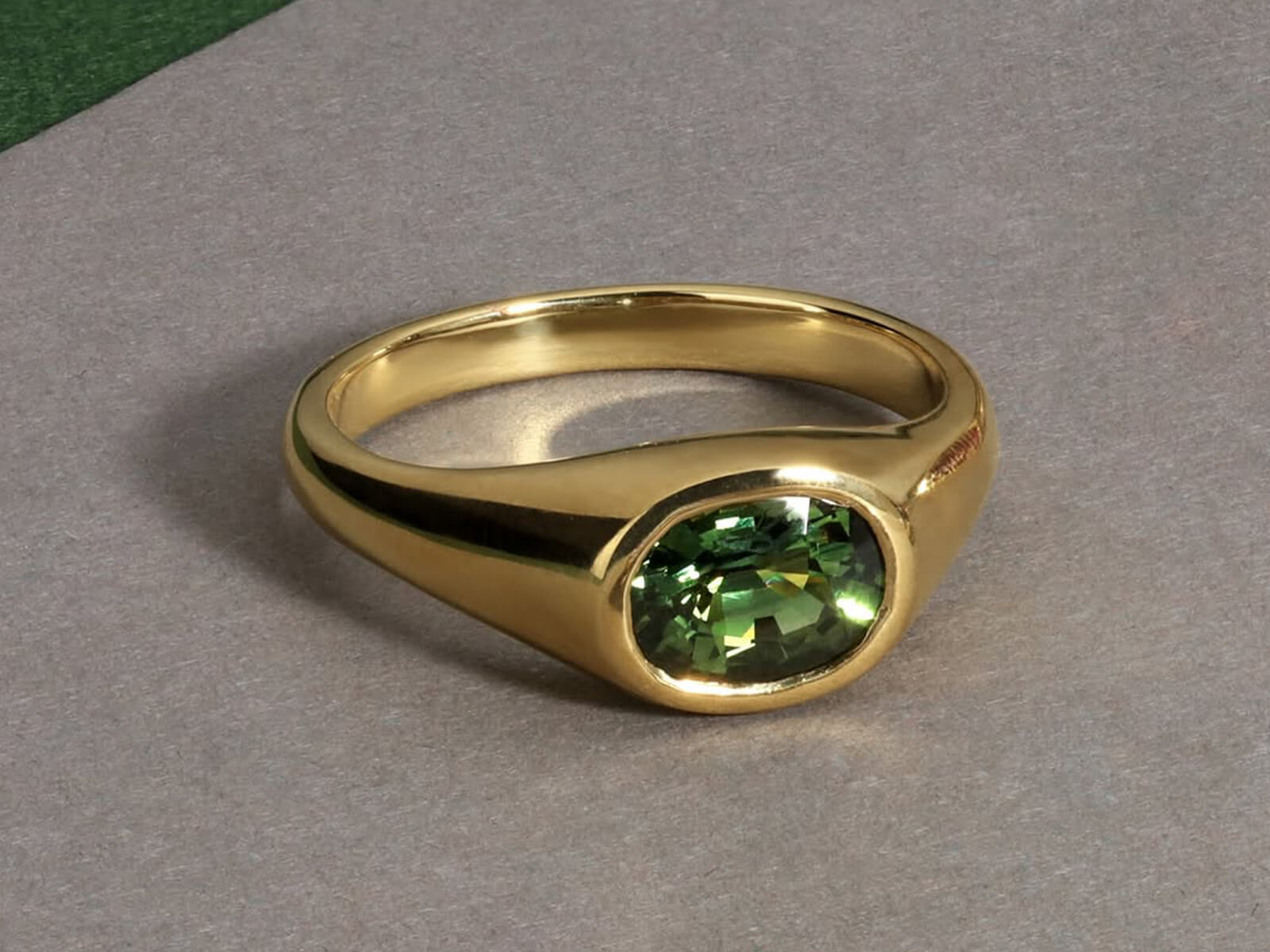
Populate your product page color-swatch selectors without shooting every combination. From a single master photo, we generate photorealistic Yellow, White, and Rose Gold variants—plus birthstone color swaps.
- ✓Exact Pantone/swatch matching for 14k/18k Yellow Gold, White Gold, Platinum, and Rose Gold
- ✓Independent stone masking so diamonds stay colorless while metal tones change
- ✓Gemstone recoloring to create Sapphire, Ruby, Emerald, and birthstone SKU variants
Packaging Box, Bridal Stack & Secondary Gallery Compositing
Complete your 5-image product gallery with gift box composites, interlocking bridal ring stacks, earring pair matches, and on-model hover shots—all engineered for maximum conversion.
- ✓Branded gift box compositing on pure #FFFFFF white with clean box-only grounding shadows
- ✓Duplicating and symmetry-matching stud or drop earring pairs from a single retouched master
- ✓Grouping engagement rings, wedding bands, and matching parures into cohesive bundle shots
Focus Stacking, 360° Spin Batch Editing & Web Optimization
Ensure front-to-back tack sharpness across every angle. We merge multi-frame macro focus stacks, batch-edit 360° turntable spin sequences, and export fast-loading files named to your exact SKU list.
- ✓Halo-free manual focus stacking so both center stones and rear shanks stay razor-sharp
- ✓Consistent batch background cleanup and color locking for 24–72 frame 360° spin videos/GIFs
- ✓Optimized sRGB JPEG, WebP, and 24-bit PNG exports alongside layered master PSDs
Why Top Online Jewelry Stores Choose Manual Photoshop Over AI Apps
Automated e-commerce editing apps erode diamond edges, leave grey background halos inside chain links, and slap on heavy black shadows that cheapen your brand. We edit every SKU manually at 300% zoom.
Automated AI & Bulk Cutout Apps
-
✕
Uncut Chain Links & Halos: Leaves grey studio background trapped inside fine necklace links and pavé settings.
-
✕
Harsh Muddy Drop Shadows: Applies heavy, high-opacity black shadows that make white-background grids look dirty.
-
✕
Inconsistent Metal Swatches: 18k gold shifts from pale yellow to orange across different product listings.
-
✕
Warped Details Under Zoom: Melts prongs and blurs inner hallmarks, killing buyer trust when zoomed in.
Our Manual eCommerce Jewelry Specialists
-
✓
Sub-Pixel Pen Tool Cutouts: Hand-drawn vector paths inside every single chain link, clasp, and filigree opening.
-
✓
Pure #FFFFFF + Soft Reflection: Centered, slightly scaled-back framing with a subtle floor reflection and low-opacity shadow.
-
✓
Locked Brand Color LUTs: Identical 14k/18k Yellow, White, and Rose Gold tones across every SKU in your store.
-
✓
400% Pinch-to-Zoom Clarity: Liquid-smooth metals, sharp hallmarks, and natural diamond fire that convert high-ticket buyers.
Pre-Configured for Shopify Plus, Amazon Luxury, Etsy & Google Shopping
Every file is engineered to pass strict marketplace automated audits while giving your DTC storefront a cohesive, high-luxury collection grid.
Pure Solid White (#FFFFFF)
Strict RGB(255,255,255) pure solid white backgrounds that pass Amazon, Google Merchant Center, and Shopify audits automatically.
Reflection & Soft Shadow
We pair a subtle product reflection on the solid white floor with a low-opacity black drop shadow—or box-only shadow for packaging.
Centered & Scaled Framing
Pieces are sized slightly smaller and centered on 2048×2048 px canvases so rings, earrings, and necklaces align across collection pages.
Fast-Load Web & Master PSDs
Receive sRGB WebP/JPG/PNG files named to your exact SKU list alongside layered master PSDs with saved vector clipping paths.
eCommerce Jewelry Photo Editing Pricing
Scalable per-image pricing built for online stores and seasonal catalog launches. Every tier includes pure solid white (#FFFFFF) backgrounds, centered framing, soft reflections, low-opacity shadows, and unlimited revisions.
Essential Catalog SKU
Best for: Plain bands, stud earrings, loose gems, simple pendants, bangles & packaging boxes.
- ✓ Hand-drawn Pen Tool cutout & pure solid white (#FFFFFF) BG
- ✓ Centered, slightly scaled-back catalog grid framing
- ✓ Surface scratch, dust & studio wax/prop removal
- ✓ True metal color calibration & facet sharpening
- ✓ Subtle floor reflection + low-opacity drop shadow
Solitaire, Halo & Pendant SKUs
Best for: Engagement rings, halo settings, pendant necklaces, drop earrings & product + box composites.
- ✓ Everything in Essential Catalog SKU tier
- ✓ Liquid-metal gradient polishing & camera glare removal
- ✓ Facet-by-facet diamond fire & gemstone grading
- ✓ Single metal recoloring variant (Yellow/White/Rose Gold)
- ✓ Packaging box compositing with box-only shadow option
Complex Chains, Pavé & Stacks
Best for: Intricate link chains, micro-pavé bridal sets, tennis bracelets, focus stacks & on-model hover shots.
- ✓ Everything in Solitaire, Halo & Pendant tier
- ✓ Surgical multi-hole cutouts for complex link chains
- ✓ Stone-by-stone brightening across 50+ micro-pavé gems
- ✓ Multi-frame focus stacking & dual-light pass blending
- ✓ Mannequin bust removal & bridal stack interlocking
Not sure which complexity tier fits your jewelry collection?
Send us 1–2 raw sample images. We will retouch a sample for free and give you an exact per-image quote for your catalog.
How Our eCommerce Jewelry Editing Workflow Works
Four streamlined steps from raw studio batches to upload-ready Shopify, Amazon, and WooCommerce product listings.
Upload SKU Batch & Brief
Send your raw studio folder along with your crop dimensions, metal swatches, and shadow/reflection preferences.
Cutout, Polish & Variants
Our team hand-cuts every piece, polishes metals, sharpens diamonds, and generates your Yellow, White, and Rose Gold variants.
Grid Sync & Marketplace QA
A senior QC lead verifies pure #FFFFFF white backgrounds, centered scaling, low-opacity shadows, and uniform margins across all SKUs.
24h Store-Ready Delivery
Download fast-loading WebP/JPEG/PNG files and layered master PSDs within 12–24 hours—backed by unlimited free revisions.
Trusted by Fine Jewelry Brands & Commercial Photographers
A few words from studio directors and jewelry brand founders about our detail preservation, catalog consistency, and manual Photoshop finish.
Jewelry editing is notoriously difficult because of all the tiny metal reflections, but this team nailed it completely. Every single necklace and ring looks crisp, clean, and luxury-ready on our website without losing inner hallmarks.

Charlotte May Brooks ✓
Creative Director, Fine Jewelry Brand · New YorkThe pure #FFFFFF background cleanup and soft grounding shadows are top-notch. Our bridal diamond sets look breathtakingly realistic with brilliant sparkle and zero dust artifacts. Our clients constantly compliment our new catalog look!

Emma Rose Watson ✓
Founder, Bridal & Diamond Atelier · LondonThe jewelry photo editing is absolute perfection! Every diamond and gold gemstone sparkles naturally without looking over-processed. Our online store's conversion rate jumped by 35% right after updating our product catalog.

Olivia Grace Miller ✓
eCommerce Manager, Luxury Jewels · Los AngelesCutting out intricate curb and rope chains used to take our studio hours. Their hand-drawn pen paths inside every tiny chain link are razor-sharp, saving our studio 20+ hours a week with reliable 24-hour delivery.

Marcus Vance ✓
Commercial Jewelry Photographer · ChicagoWe only shoot our rings in 18k yellow gold now, and their team generates the white gold and rose gold variants for our Shopify store. The metal tones match our physical swatches 100% while keeping stones untouched.

Daniel Sterling ✓
Head of Production, Fine Watch & Jewelry Co. · TorontoFrequently Asked Questions About eCommerce Jewelry Editing
Everything you need to know about our pure white (#FFFFFF) catalog standards, low-opacity shadows, multi-metal variants, and bulk turnaround.
We create a custom brand style guide and Photoshop template for your store. Every piece is isolated onto a pure solid white (#FFFFFF) background, scaled slightly smaller with locked dead-center alignment, and grounded with your exact floor reflection and low-opacity drop shadow settings—so rings, earrings, and necklaces line up seamlessly across every row.
For individual jewelry pieces on pure solid white (#FFFFFF), we combine a subtle product floor reflection with a reduced-opacity black grounding shadow. When compositing jewelry alongside or inside its packaging box, we apply a clean box-only grounding shadow underneath the packaging box so the presentation never looks cluttered.
Yes! Most of our e-commerce clients photograph each new design once (usually in 14k/18k yellow or white gold) and have our team generate the remaining Yellow Gold, White Gold/Platinum, Rose Gold, and gemstone color variants—cutting studio photography time and sample manufacturing costs by up to 70%.
We deliver sRGB-calibrated high-res JPEGs, WebP, and 24-bit transparent PNGs (typically 2048×2048 px for Shopify or 2500×2500 px for Amazon zoom), alongside layered master PSD/TIFF files with saved vector clipping paths. We also maintain your exact SKU filenames so you can bulk-import directly into your store.
Absolutely. Our dedicated jewelry retouching team can process 500+ catalog images per day while maintaining strict two-stage quality control. We also offer 20% volume discounts on bulk catalog orders of 100+ images and custom monthly retainers for studios.
Standard turnaround is 24 to 48 hours depending on complexity and volume. Express 12-hour delivery is also available for urgent campaign launches.
Every order includes revisions to make sure metal tones, shadow intensity, and stone brilliance match your exact brand guidelines.
Still have a specific retouching question? Send over a photo for a quick evaluation.
Request a Free Sample Edit →Test Our eCommerce Jewelry Editing—Free
Send us 1–2 raw product shots from your catalog. We will isolate them on pure #FFFFFF white with centered framing, soft reflections, low-opacity shadows, and 10x zoom-ready brilliance within 24 hours—completely free.
- ✓ 1 Free Sample Image retouched to your exact catalog specs
- ✓ 12–24 Hour Turnaround delivered straight to your inbox
- ✓ 100% Confidential with strict NDA protection
Request Your Free Sample
Tick the issues you want fixed and paste your file link below.
No credit card required · 100% Secure & Confidential🎉 Thank You! Request Received
We have received your free sample request and selected editing preferences. Our senior retoucher will review your file and deliver the finished sample within 12–24 hours!
AI Jewelry Image Fixing & Restoration
Love the look of AI-generated models and backgrounds, but hate how AI melts prongs, warps diamond facets, and alters your jewelry's real design? Our Photoshop specialists manually composite your authentic physical jewelry back onto AI visuals and rebuild distorted details with 100% geometric accuracy.
Why Raw AI-Generated & AI-Edited Jewelry Photos Fail in E-Commerce
Midjourney, Photoroom, Flux, and AI background generators are great for scenes—but they hallucinate fine jewelry details and misrepresent your actual product.
Melted Prongs & Warped Micro-Pavé Settings
AI upscalers and enhancers blur tiny claws and fuse pavé stones together. We manually reconstruct crisp prong geometry and individual melee diamonds.
AI Models Wearing a "Mutated" Version of Your Piece
When AI places your ring or necklace on a model, it changes stone counts and band thickness. We composite your 100% real studio jewelry onto the AI model.
scrambled Diamond Facets & Glassy Stones
Generative AI invents asymmetrical, spider-web facet lines that don't exist in real cuts. We restore your real macro diamond facets and authentic internal fire.
Disjointed Necklace Links & Missing Inner Cutouts
AI background removers chop through delicate chain links and leave grey blobs inside filigree holes. We rebuild broken links and hand-draw Pen Tool cutouts.
Garbled Hallmarks, Logos & 18k/925 Stamps
AI turns inner band hallmarks, brand logos, and watch dial typography into alien symbols. We cleanly reconstruct or composite your crisp original stamps.
Floating "Sticker" Look & Warped AI Fingers
AI lifestyle shots often have bad contact shadows or weird finger/ear anatomy. We fix skin textures, anatomies, and paint realistic ambient occlusion shadows.
Our AI Jewelry Image Fixing & Restoration Services
Get the speed and creative freedom of AI imagery without sacrificing product accuracy. Drag any slider to see how we rescue AI-damaged jewelry photos in Photoshop.
Prong, Bezel & Micro-Pavé Geometry Restoration
When AI upscalers or enhancers process fine jewelry, they melt tiny metal claws into the stones and smudge engravings. We manually rebuild symmetrical prongs, crisp pavé beads, and sharp inner-band hallmarks in Photoshop.
- ✓Reconstructing melted, asymmetrical, or missing prongs and bezel edges
- ✓Restoring garbled brand logos, 14k/18k/925 hallmarks, and watch dial text
- ✓Replacing waxy, plastic AI metal surfaces with realistic liquid-metal gradients
Real Jewelry Compositing Onto AI Models & Scenes
Generated an amazing AI model or editorial scene, but the AI changed your jewelry design? Send us the AI image alongside your real studio product photo—we will seamlessly composite your exact physical piece onto the model.
- ✓100% accurate preservation of your real SKU's stone count, setting, and proportions
- ✓Perspective warping, scale calibration, and realistic skin-contact shadow painting
- ✓Matching ambient color temperature, specular highlights, and depth-of-field blur to the AI scene
AI-Warped Diamond Facet & Gemstone Reconstruction
AI tools don't understand gemology—they turn structured Round Brilliant, Emerald, or Oval cuts into chaotic, mushy patterns. We replace hallucinated stone textures with authentic, razor-sharp facet geometry and natural light return.
- ✓Restoring true geometric table, crown, and pavilion facet lines from your original capture
- ✓Removing weird AI color blobs, neon artifacts, and fake cartoon sparkle overlays
- ✓Calibrating true-to-life diamond brilliance and GIA-accurate colored gemstone hues
Broken Chain Link Repair & AI Cutout Edge Rescue
One-click AI background removers (like Photoroom or Canva) routinely erase thin necklace chains, leave jagged grey halos, and fail to cut out inner filigree holes. We manually repair broken links and draw sub-pixel Pen Tool paths.
- ✓Rebuilding missing or dissolved necklace chain links, clasps, and thin earring wires
- ✓Cleaning upcolor fringing, jagged pixel halos, and leftover background chunks inside lattice work
- ✓Placing rescued pieces on pure #FFFFFF white or custom AI lifestyle grounds with natural shadows
AI Model Anatomy Cleanup & High-Fashion Skin Retouching
AI-generated hands, fingers, earlobes, and necklines often suffer from subtle anatomical glitches or overly plastic skin texture that give away the AI origin. We refine the model's anatomy and skin so your campaign looks 100% shot-on-location.
- ✓Fixing distorted finger joints, weird fingernails, asymmetrical earlobes, and neck creases
- ✓Adding realistic skin pores and natural chain-weight indentation on the model's neck or wrist
- ✓Up-scaling and de-noising low-resolution AI generations to 300 DPI print & 4K web standards
Raw AI Generation vs. Our Hybrid AI + Photoshop Restoration
Publishing raw AI jewelry images risks false-advertising complaints and high return rates. Our hybrid workflow gives you the best of both worlds: AI creative speed + 100% real product accuracy.
Raw Unedited AI Jewelry Outputs
-
✕
Altered SKU Geometry: AI changes your prong count, warps stone shapes, and invents details that don't exist on your real piece.
-
✕
Melted Pavé & Mushy Facets: Under zoom, micro-pavé settings look like melted wax and diamonds lack real facet structure.
-
✕
Fake "Pasted" Lighting: AI background generators leave harsh halo edges and unrealistic shadows beneath the jewelry.
-
✕
Customer Return Disputes: Buyers feel deceived when the physical jewelry doesn't match the AI-mutated photo.
Our Photoshop AI-Rescue Specialists
-
✓
100% Exact Product Preservation: We composite and lock in your real physical jewelry so every millimeter is authentic.
-
✓
Rebuilt Prongs & Crisp Facets: Every claw, bezel, hallmark, and diamond facet is hand-restored at 300% macro zoom.
-
✓
Photorealistic Scene Integration: Custom contact shadows, skin reflections, and color-matched specular highlights.
-
✓
4K Print & Zoom Ready: Clean, artifact-free 16-bit PSD and high-res PNG/JPG files ready for luxury e-commerce.
Turn AI Concepts Into Compliant, High-Converting Catalog Assets
Whether you use Midjourney, Flux, Photoroom, or Magnific AI in your creative workflow, we make your final images 100% e-commerce and print compliant.
Exact Physical Detail Lock
We overlay and blend your real studio jewelry capture so stone counts, prong shapes, and proportions remain 100% true to the physical item.
Realistic Light & Shadow Blending
We paint accurate contact shadows, skin indentations, and ambient environment reflections so the jewelry never looks pasted on.
Artifact-Free Macro Resolution
We eliminate AI noise,checkerboard artifacts, and blurry upscaling halos so your images pass 400% zoom inspection and billboard print.
Separated Product & Scene Layers
Receive web-ready PNG/JPEGs alongside layered PSDs where the real jewelry, shadows, and AI background sit on independent layers.
AI Jewelry Image Fixing & Compositing Pricing
Straightforward per-image pricing based on whether you need quick AI cutout/artifact cleanup, detail reconstruction, or full real-to-AI model compositing.
AI Cutout & Artifact Cleanup
Best for: Fixing botched Photoroom/Canva cutouts, jagged edges, minor AI halos & stamp cleanup.
- ✓ Fixing jagged AI background removal edges & halos
- ✓ Cutting out missed inner holes & filigree openings
- ✓ Restoring garbled inner hallmarks & brand stamps
- ✓ Removing waxy AI noise from gold & silver surfaces
- ✓ Pure white (#FFFFFF) or custom background grounding
Prong, Chain & Stone Restoration
Best for: Melted prongs, warped diamond facets, broken chain links & AI-enhanced product shots.
- ✓ Everything in AI Cutout & Cleanup tier
- ✓ Rebuilding melted prongs, claws & micro-pavé rows
- ✓ Restoring real diamond facets & natural stone brilliance
- ✓ Repairing dissolved or broken necklace chain links
- ✓ True-to-swatch metal re-shading & luster restoration
AI Model & Lifestyle Compositing
Best for: Placing your real jewelry onto AI models (hands, neck, ears) & fixing AI anatomy.
- ✓ Everything in Prong & Stone Restoration tier
- ✓ Precision compositing of real SKU onto AI model/scene
- ✓ Realistic skin-contact shadows, reflections & lighting match
- ✓ Fixing AI finger, hand, ear & skin texture glitches
- ✓ 4K resolution upscaling & layered master PSD delivery
Not sure which complexity tier fits your jewelry collection?
Send us 1–2 raw sample images. We will retouch a sample for free and give you an exact per-image quote for your catalog.
How Our AI Jewelry Image Fixing Workflow Works
Four seamless steps to rescue distorted AI jewelry visuals and lock in 100% real product accuracy.
Send AI Image + Real Reference
Upload your AI-generated/edited image along with a clear reference photo of your real physical jewelry piece.
Real Detail Compositing
Our Photoshop specialists extract your real jewelry details and align them over the AI-mutated areas with sub-pixel accuracy.
Prong, Facet & Light Blending
We rebuild melted prongs, sharpen diamond facets, fix AI skin/anatomy glitches, and paint natural contact shadows.
24h High-Res Delivery
Download 4K web- and print-ready files within 12–24 hours. Unlimited free revisions are always included.
Trusted by Fine Jewelry Brands & Commercial Photographers
A few words from studio directors and jewelry brand founders about our detail preservation, catalog consistency, and manual Photoshop finish.
Jewelry editing is notoriously difficult because of all the tiny metal reflections, but this team nailed it completely. Every single necklace and ring looks crisp, clean, and luxury-ready on our website without losing inner hallmarks.
Charlotte May Brooks ✓
Creative Director, Fine Jewelry Brand · New YorkThe pure #FFFFFF background cleanup and soft grounding shadows are top-notch. Our bridal diamond sets look breathtakingly realistic with brilliant sparkle and zero dust artifacts. Our clients constantly compliment our new catalog look!
Emma Rose Watson ✓
Founder, Bridal & Diamond Atelier · LondonThe jewelry photo editing is absolute perfection! Every diamond and gold gemstone sparkles naturally without looking over-processed. Our online store's conversion rate jumped by 35% right after updating our product catalog.
Olivia Grace Miller ✓
eCommerce Manager, Luxury Jewels · Los AngelesCutting out intricate curb and rope chains used to take our studio hours. Their hand-drawn pen paths inside every tiny chain link are razor-sharp, saving our studio 20+ hours a week with reliable 24-hour delivery.
Marcus Vance ✓
Commercial Jewelry Photographer · ChicagoWe only shoot our rings in 18k yellow gold now, and their team generates the white gold and rose gold variants for our Shopify store. The metal tones match our physical swatches 100% while keeping stones untouched.
Daniel Sterling ✓
Head of Production, Fine Watch & Jewelry Co. · TorontoFrequently Asked Questions About AI Jewelry Image Fixing
Everything you need to know about rescuing AI-generated models, fixing melted prongs, and compositing real jewelry onto AI scenes.
Yes! That is our most requested AI-fixing service. Simply send us the AI model/lifestyle image alongside a studio or smartphone photo of your actual jewelry piece from a similar angle. We manually composite your real piece onto the model, match the lighting temperature, and paint realistic skin-contact shadows so your SKU remains 100% accurate.
Absolutely. AI enhancers (like Magnific, Topaz, or Krea) often hallucinate over tiny jewelry details—fusing micro-pavé stones together and melting prong tips. Our retouchers work manually in Photoshop at 300% zoom to reconstruct crisp, symmetrical claws and authentic diamond facets.
Yes. Automated background removers struggle with fine link chains and lattice work—leaving grey chunks inside the links or erasing thin sections entirely. We manually redraw missing chain links, cut out every interior link hole with the Pen Tool, and blend natural shadows onto your background.
Definitely. AI lifestyle images frequently suffer from uncanny-valley finger joints, distorted fingernails, or asymmetrical earlobes right next to your jewelry. We perform high-end beauty and anatomical retouching on the AI model so the entire campaign looks like an authentic studio shoot.
Send us the AI-generated or AI-edited image you want fixed, PLUS your original unedited product photo (RAW, PNG, PSD, or JPEG) so our retouchers have an exact visual reference of your real jewelry's prong structure, stone cut, and hallmarks.
Standard turnaround is 24 to 48 hours depending on complexity and volume. Express 12-hour delivery is also available for urgent campaign launches.
Every order includes revisions to make sure metal tones, shadow intensity, and stone brilliance match your exact brand guidelines.
Still have a specific retouching question? Send over a photo for a quick evaluation.
Request a Free Sample Edit →Test Our AI Jewelry Image Fixing Service—Free
Send us 1 AI-damaged jewelry image (or an AI model shot alongside your real product photo). We will restore your exact product details in Photoshop and deliver a flawless master sample within 24 hours—free.
- ✓ 1 Free Sample Image retouched to your exact catalog specs
- ✓ 12–24 Hour Turnaround delivered straight to your inbox
- ✓ 100% Confidential with strict NDA protection
Request Your Free Sample
Tick the issues you want fixed and paste your file link below.
No credit card required · 100% Secure & Confidential🎉 Thank You! Request Received
We have received your free sample request and selected editing preferences. Our senior retoucher will review your file and deliver the finished sample within 12–24 hours!